My Hub App Inherited the Old App's Push Notifications — What Else to Change When You Repurpose an App
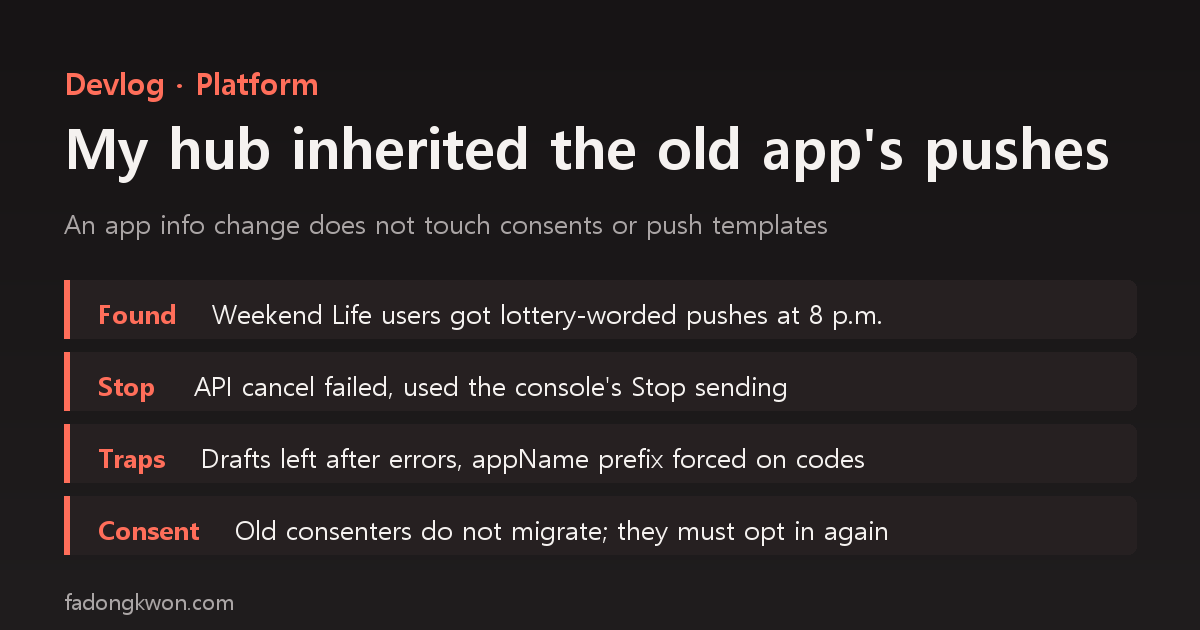
On Apps in Toss I turned an existing app into a hub through an app info change. The name and screens changed, but the notification consent sheet and the daily 8 p.m. push still carried the old lottery app's wording. Here is how I stopped the old push, the half-created draft left in the console after a creation error, the template code that is forced to start with the old app's name, why old consenters do not carry over to a new consent, and a checklist of what to review alongside any app info change
한국어로 읽기 허브로 바꾼 앱이 옛 앱의 알림 문구를 물려받았다 — 앱 정보 변경 때 같이 바꿔야 할 것들
An Apps in Toss workspace is capped at 50 apps. Since I hit the cap, I no longer register new hub apps. Instead I take an existing app, use the console’s “app info change” to replace its name, icon and description, and swap its bundle for the hub. I described that process in Converting apps into hubs on Apps in Toss.
Weekend Life went up the same way, in the slot that used to hold a “car plate lottery” app. The name and the screens became Weekend Life. Then on November 13 I found one thing that had not changed: the notification consent sheet and the daily 8 p.m. push were still going out with the old lottery app’s wording.
This post covers how I found and stopped it, the traps I hit fixing the same problem in two other hubs around the same time, and the list of things I now check whenever I change an app’s info.
Found by accident, during other work
It surfaced by accident. That day one AI agent session was doing follow-up work for Weekend Life’s Google Play launch (fixing the Toss link, the landing page, the intro post) and noticed while querying the Toss console that the push wording looked wrong. That session was not the one responsible for Weekend Life, so instead of fixing it, it passed the finding to the session planning Weekend Life. If two sessions both touched the same console items, a template could end up created twice, so keeping one owner was the right call.
The receiving session re-queried everything read-only, and the report was accurate.
| Item | Current content | Status |
|---|---|---|
| Notification consent | Title “car plate lottery number alerts”, purpose “drawing numbers”, tells you at 8 p.m. daily whether you drew this week’s numbers | in use |
| Daily 8 p.m. push | Title “Draw numbers”, body “8 p.m., draw this week’s numbers. (car plate lottery alert)” | approved, sending daily |
| Tapping the push | the old lottery app’s address, which now opens Weekend Life | - |
| Hub bundle push setting | still uses the old lottery template code | - |
The last row made it worse. Because the hub wrapper used the old code, anyone who newly opted in to notifications inside Weekend Life also saw the lottery-worded consent sheet and then received lottery-worded pushes. People who came to check the best travel months or a museum map were getting “draw this week’s numbers” every evening.
The same app also had a smart message with “(Ad)” lottery wording, but it had never passed review or been sent, so I left it alone.
Why it was still there
In hindsight it is obvious. An app info change covers what lives on the console’s “app info” screen: name, icon, description, screenshots, category. The notification consent and push templates are separate objects under a different “push notifications” menu, and they do not follow an app info change at all. When the bundle was swapped for the hub, the wrapper’s push settings file also kept its old values.
When I wrote up my September push mistakes I learned that a consent and its templates come as a pair, and in the consent sheet that never appeared I learned that a one-character code mismatch breaks consent entirely. Yet when I built the hub conversion procedure, I never put that pair on the checklist. I knew the rule; there was just no step that re-applied it at the moment an app’s identity changed.
Stopping the old push: the API could not do it
There were two options. Leave the old push running and it keeps sending lottery wording every day until the new one is ready. Stop it now and Weekend Life’s consenters get no notifications at all until then. Sending the wrong message every day seemed worse, so I stopped it right away.
My first attempt was the console query tool’s (MCP) cancel-reservation call, which was rejected with “there are no scheduled push sends.” It turned out that recurring daily pushes only create that day’s reservation around 7:35 p.m. During the day there is simply nothing to cancel. The tool had no way to stop the recurring send itself.
So I went to the console web UI: Weekend Life → Push notifications → open the campaign → “Stop sending” → “Stop” in the confirmation. The console log showed “sending stopped, November 13, 16:37”, and an API query showed the status as stopped. It still shows that today. I deleted neither the template nor the consent. Deleting cannot be undone, and it would remove the record I might need to compare against later.
1
2
3
4
5
Stopping a recurring push template
1) API cancel reservation -> "no scheduled push sends" (recurring sends only reserve that evening)
2) Console web: Push notifications -> campaign detail -> Stop sending -> Stop
3) Query the API again to confirm the status is stopped
4) Do not delete
Another hub the same day: an error, and a half-created draft
That same afternoon I was fixing a similar problem in another hub, FDK Monsters. It took over the slot of a “spin the bottle” app. The template code its wrapper used did not exist in the console at all, and the old spin-the-bottle template was still going out Monday to Saturday at 8 p.m. with “decide the group’s order by spinning the bottle.”
The new consent was created without trouble. The template creation request, however, ended with the error “smart message campaign not found.” I queried the template list with several filters and saw nothing new.
Not retrying immediately turned out to matter. I have a rule that a template is created exactly once, after reading its wording, so before retrying I opened the console web UI. The failed request was sitting there as a saved draft, a half-created object that the query tool’s list did not show. Had I simply created it again, I would have had two copies of the same template.
I opened the draft, checked its content and pressed “Register”, and it passed the AI review immediately. The next day I did the same job across several hubs, and the creation request returned the same error every time, and every time a draft was left behind. A few more things I learned along the way:
- The console list did not show the new row on first load; I had to refresh once more.
- Going straight to the edit screen’s URL produced an error page. Only list row → detail “Edit” → “Register” worked.
- The query tool did show the drafts when searching by name. They were only missing from the default list query.
Template codes are forced to start with the old app’s name
Creating the Monsters template hit one more snag. The wrapper had a code named after the hub, but Toss forces the app’s internal name (appName) as a prefix on every template code. An app info change does not change the appName either. Monsters still has the appName of the spin-the-bottle app, so a code starting with the hub’s name could not be created.
1
2
Code in the wrapper      hub-monsters-DAILY_18B        <- cannot be created
Code actually created    <old app's appName>-DAILY_18  <- prefix is forced
So I created the template with a code that starts with the old app’s name and changed the wrapper to match. It is the same structure as Weekend Life’s Toss address, which still carries the old lottery app’s name. The wording users see can change, but codes and addresses keep the old app’s name forever. The only way to limit the confusion is a line in the docs saying “this hub’s appName belongs to the old app.”
Approved wording cannot be edited, and it must match the consent
The next day I found FDK Olympics in the same state. That hub replaced a pixel ping-pong app, and every day at 8 p.m. it was sending “8 p.m., time for today’s ping-pong match. (Pixel Pong alert)”. Two more lessons came out of it.
- An approved template cannot be edited. Trying to change just the wording was rejected with “an approved message cannot be modified.”
- A new template has to match the consent’s context. Creating a new Olympics-worded template under the same consent was rejected by the AI review, because the consent was about ping-pong matches while the content covered every Olympic event.
That left two ways to fix it.
| Path | When | What it takes | Existing consenters |
|---|---|---|---|
| A. Same consent, new template | the consent wording is generic (e.g. “brain training alerts”) | create only a new template and stop the old one once approved; no bundle change | keep receiving |
| B. New consent, new template, new bundle | the consent is tied to the old app (e.g. “ping-pong match alerts”, “lottery number alerts”) | new consent + new template + wrapper code change + redeploy, stop the old template after going live | not migrated to the new consent; they must opt in again |
When I checked the remaining hubs the next day, those with generic consents went through path A and those tied to the old app went through path B. One more detail: the “(… alert)” suffix at the end of a template body is frozen to the app title at the time the template was created. A new template picks up the current hub title, so even path A removes the old app’s name from what users see. Once, a template was rejected on send timing because the body had no time like “7 p.m.” in it; adding the time to the body got it through.
Weekend Life’s consent title itself says “car plate lottery number alerts”, so it is path B. The order I set:
- Create one new consent and one new daily push with Weekend Life wording, exactly once, after reading the text.
- Switch the wrapper to the new code and upload a bundle.
- Once the new bundle is live, deactivate the old push (already stopped). Do not delete it.
- Existing consenters have to opt in again on the new consent sheet.
As of writing, Weekend Life’s new consent and template have not been created yet. That work is bundled with changing the apps inside Weekend Life, so until then its consenters receive no notifications. An app info review cannot be cancelled once submitted, so I decided to submit the app info and the push replacement in a single round. The next hub candidate, in the old “name lottery” slot, will obviously have the same problem, so the same steps are already in its plan.
Checklist: what to review alongside an app info change
I combined what went wrong this time with what went wrong in earlier hub conversions into one table. Most of the rows are things an app info change does not touch.
| Item | Changes with app info? | What to check | Where to fix |
|---|---|---|---|
| Name, icon, description, screenshots | yes (that is the change) | submit together in one round (reviews cannot be cancelled) | console app info |
| Internal app name (appName), Toss address | no (permanent) | align share links, QR codes and docs to the old name | registry, website |
| Age rating | no | the old app’s rating (e.g. 19+) stays with the hub | cannot be changed |
| Notification consent | no | is the title or purpose the old app’s wording? | console push (create a new one) |
| Recurring push template | no | the wording currently sending, the “(old app alert)” suffix | new template, stop the old one |
| Wrapper push code | no | does the code exist in the console, is its prefix the appName? | wrapper config + bundle |
| Unsent smart messages, ad drafts | no | is an old-wording draft sitting in review? | console (leave or clean up) |
| Template that errored on creation | - | is a draft left in the console web UI (refresh the list)? | register the existing draft |
| Benefits-tab promotion | no | do the old promotion’s wording and mission fit the hub? ending it cannot be undone | console promotions |
| Ad placement reward wording | no | is the reward unit still the old app’s word (e.g. “numbers”)? | placement settings |
| Primary conversion metric | no | an ad-free hub still showing “ad views” as its primary metric? | console core metrics |
| Category | yes, via app info | picked in the same round? | console app info |
Monsters actually had “in-app ad views” as its primary conversion metric even though it shows no ads, so I switched it to “notification consent” the same day. That was another item an app info change does not touch.
What I learned
- An app info change is not the app’s whole identity. The wording users see is spread across app info, push, promotions and ad placements, each in its own console menu. When an app’s identity changes, open every one of them once.
- When a tool reports failure, look at the console first. A creation request can error and still leave half an object behind. For anything that must be created exactly once, check the screen before retrying.
- Consent does not move. Create a new consent and the old consenters are not new consenters. That is why the decision to stop an old template waits until the new bundle is live.
- Write down the names that can never change. appName and the template prefix are fixed, so a note per hub saying “this app’s internal name is the old X” saves the next person, including future me.
- Hand problems you find during other work to whoever owns them. Had the session that found this fixed it on the spot, the template could have been created twice.
I did the push queries and console work with AI agents; whether to stop the push and which path to take were my decisions.
My apps are listed under GAMES and APPS. Updates are posted on this blog and on Instagram (@fadongkwon.soft) (opens in a new tab).