6,146 Audio Clips for a 3,000-Word English App — From an Official Word List to Tiny MP3s, and the File Count That Stalled My Deploy
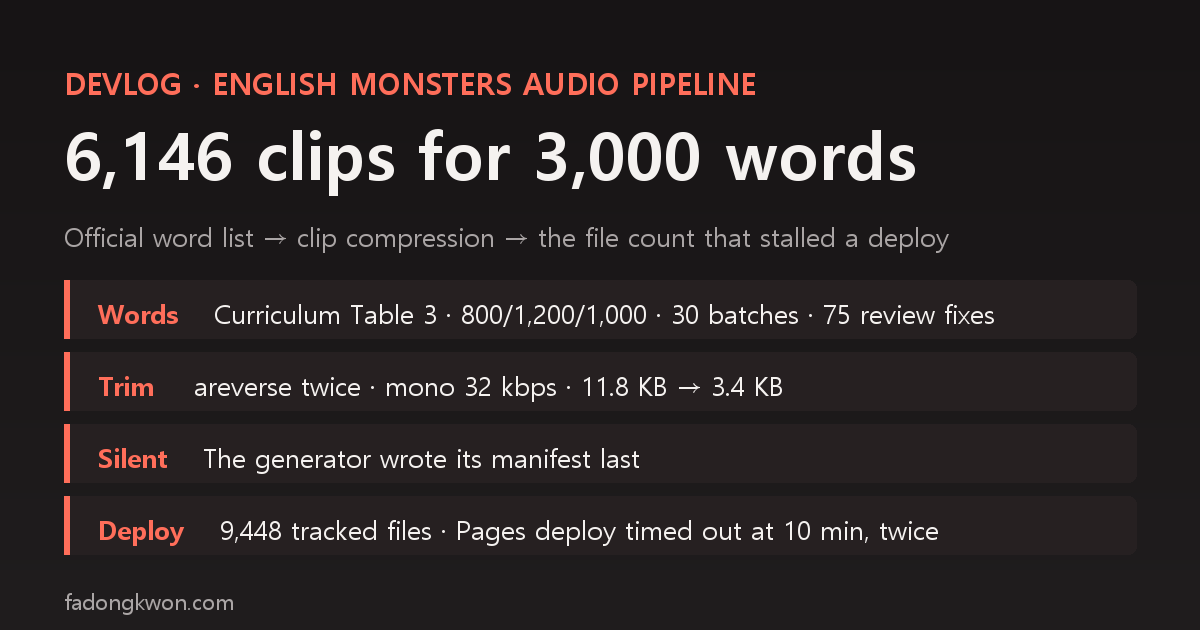
The 3,000 words in English Monsters come straight from the basic vocabulary table attached to Korea's national English curriculum. Meanings and example sentences were written by AI agents in 30 batches and reviewed separately, which led to 75 fixes. This post covers turning words, sentences and verb forms into 6,146 Edge TTS clips: an edge-tts 403, a silence filter that cut words in half, and why listening was silent during development. It ends with the GitHub Pages deploy that hit a 10-minute timeout when I put those clips on my site, and a second timeout I could not explain
한국어로 읽기 영어 3,000단어 앱의 음성 6,146개 — 공식 어휘표에서 클립 압축까지, 그리고 배포를 멈춘 파일 수
English Monsters is an app for learning 3,000 elementary, middle and high school English words by catching monsters. The intro post covers what the app does. This one is about what sits behind it: where the word list came from, how the meanings and example sentences were written and checked, how I made 6,146 voice clips small enough to ship, and how putting those clips on my website stalled the deploy.
The numbers below were re-checked against the planning doc in my monorepo (hubs/monsters/PLAN.md), the generation scripts, commit history, and the site repo’s commits and GitHub Actions run history.
1. The word list: parsed straight from the official table
I did not pick the words myself. They are the [Table 3] basic vocabulary list attached to Korea’s 2022 revised English curriculum (Ministry of Education Notice No. 2022-33, Annex 14). I took the source from a PDF of the guide to KICE’s vocabulary search program, which reprints Table 3, as posted by the Gyeonggi Provincial Office of Education. The PDF’s sha256, the notice number and the page range are written at the top of the data file.
| Level | Words | Where in the app |
|---|---|---|
| Elementary | 800 | Day 1–40 |
| Middle school | 1,200 | Day 41–100 |
| High school | 1,000 | Day 101–150 |
| Total | 3,000 | 20 words a day |
The first check was that the parsed JSON split 800/1,200/1,000, matching the table. The original plan stopped at 2,000 words (elementary plus middle school), but that same evening I widened it to the high school 1,000 as well, so the whole table went in.
On copyright, my reasoning was this: the curriculum is a ministry notice and the table is part of that notice, so I treated it as a work that Article 7 of Korea’s Copyright Act leaves unprotected (notices, announcements and the like). That is my own judgment, not legal advice. So I took only the list itself, and wrote every meaning, part-of-speech note, example sentence and answer choice from scratch. Nothing else came from other people’s content.
2. Meanings and examples: 30 batches of 100, writing separate from review
AI agents wrote meanings and example sentences in batches of 100 words. Keeping the writing agent and the reviewing agent separate is the same approach I used for my certification exam bank.
| Step | Elementary + middle 2,000 | High school 1,000 |
|---|---|---|
| Generation | 20 batches (8 elementary + 12 middle) | 10 batches |
Format check vocab_check.py | 0 FAIL | 0 FAIL |
| Fixes from cross-review | 48 | 27 |
The cross-review fixes are kept in six files, 75 in total. The format check only covers what a script can check: the part of speech is in the allowed set, there are 1–3 meanings of 12 characters or fewer, the example has 3–10 words and actually contains the word (or an inflected form), there is a Korean translation, and nothing in it is unsuitable for kids (drinking, smoking, violence and so on). Whether a meaning is right, and whether the example really uses that meaning, is the review step’s job. Words that make poor four-choice questions, such as function words and sensitive words, stay on the study cards but are kept out of quizzes. They are spread evenly so every Day still has at least 18 quizzable words.
3. Voice: why clips, and the edge-tts 403
The app runs on Google Play and inside Toss. The in-app webview in Toss has no browser speech synthesis (speechSynthesis), so reading words aloud meant shipping pre-recorded clips. I reused the pipeline from Hangul Monsters: Edge neural TTS reads each text, each file is named by the md5 of its text so only changed words get regenerated, and clips no longer in the list are deleted.
| Setting | Value |
|---|---|
| Voice | en-US-JennyNeural |
| Rate | words -10%, sentences -5% |
| Concurrency | 8 requests, up to 3 tries each |
On the first real run on November 5, edge-tts 7.2.8 failed every request with a 403 (websocket handshake rejected). Before suspecting my code, I upgraded the package (pip install -U edge-tts, to 7.3.1) and it worked right away. When the service changes how it validates tokens, old client versions all break at once, so the script’s header comment now says “on a 403, upgrade the package first.”
4. Compressing the clips: 11.8 KB down to 3.4 KB
Measured on eight words, Edge TTS’s raw output averaged 11.8 KB, about 0.6 seconds of which was silence at the start and end. For words under a second long, more than half of each file could be silence. Trimming both ends and re-encoding to mono 22.05 kHz at 32 kbps brought the average to 3.4 KB.
At first I trimmed the trailing silence with ffmpeg’s silenceremove using stop_periods. That treated short gaps inside a word as the end and cut there. “Responsibility” came out as a 0.34-second clip. Multi-syllable words have tiny silences between syllables, and that is where it cut.
So I used a filter that only trims leading silence, twice, with a reverse in between. The leading silence of the reversed audio is the trailing silence of the original, so both ends get trimmed and the middle of the word is never touched. Here are the filter and the command from the actual script (games/english-monsters/tools/gen-tts.py):
1
2
3
4
5
6
AF = ("silenceremove=start_periods=1:start_threshold=-50dB:start_silence=0.06,areverse,"
      "silenceremove=start_periods=1:start_threshold=-50dB:start_silence=0.06,areverse")

def compress(src, dst, bitrate):
    subprocess.run(["ffmpeg", "-y", "-loglevel", "error", "-i", src, "-af", AF, "-ac", "1", "-ar", "22050",
                    "-b:a", bitrate, "-id3v2_version", "0", "-write_xing", "0", dst], check=True)
Anything quieter than -50dB counts as silence, and 60 ms of padding is kept at each end. No ID3 tag and no Xing header are written. Bitrates are split: 32 kbps for words, 24 kbps for sentences. When I added example sentences, a sample sentence measured 1.8 seconds and 5.4 KB on average, and at 24 kbps 3,000 sentences worked out to roughly 16 MB, which is how I settled on it.
| Group | Clips | Bitrate | Size |
|---|---|---|---|
| Words | 3,000 | 32 kbps | 8.8 MB |
| Example sentences | 2,985 | 24 kbps | 16.4 MB |
| Irregular verb forms | 161 | 32 kbps | — |
| Total | 6,146 | 24.4 MB |
There are 2,985 sentences instead of 3,000 because examples shared by two words were merged. The 161 verb-form clips are the past and past participle forms that were newly needed when I added the irregular verb course (127 verbs). Counting the folder again today gives 6,146 mp3 files, 24.4 MB in total, about 4.2 KB on average (longer sentences pull the average above 3.4 KB).
5. Why listening was silent during development
While the clips were being generated, the listening questions in the app made no sound. The cause was the order of the generation script: it writes the list file (manifest.json, mapping text to file name) at the very end, after thousands of clips are done. While it ran there was no list, so the app decided there were no clips and fell back to browser speech synthesis, which the in-app browser does not have. The result was silence.
I made a temporary list, confirmed the 20 Day 1 clips played, and moved on. Once generation finishes the list exists, so the shipped build was fine. But the symptom, “no sound,” pointed at the playback code or webview settings first, when the real cause was the order files were written in.
6. The site incident: 6,147 files stalled the deploy
On the afternoon of November 7, I published the English Monsters intro post together with a web version people could try without installing (/play/english-monsters/). I copied the monorepo build output as is, and it contained the 6,146 mp3 files plus the list file.
| Time (KST) | What happened | Result |
|---|---|---|
| Nov 7 14:17 | Commit web version + clips (9,448 tracked files) | Build passed, deploy step failed at 10 minutes |
| Re-run of the same run | Deploy only | Failed again at 10 minutes |
| Nov 7 15:09 | Commit again without the clips (3,301 tracked files) | Build and deploy passed |
Build and link checking finished in under two minutes, but the step that uploads to Pages ran exactly 10 minutes both times and failed, which is the default timeout. According to the session log at the time, the site artifact had grown to 205 MB. The Hangul Monsters web version I shipped in September had 1,085 files and went through fine. Meanwhile the live site stayed on the previous deploy, so both the new post and the web version returned 404.
The fix was to take the clips off the site. The web version was already written to fall back to the device’s speech synthesis when the list file returns 404, and regular browsers have that, so on the site it still reads words aloud without clips. Locally I checked that the Day 1 cards read words and sentences with the device voice and that the only console errors were the two 404s for the list. I added “do not commit thousands of clips into a web version” to the site README as an operations note, and the site has stayed around 3,300 files since. This is the one-line build entry in my launch incidents roundup.
One more timeout afterwards
Just before midnight the same day, a deploy failed once more on the 10-minute timeout, and two empty retry commits went in (Nov 8 00:11 and 00:20). I went back to the Actions run history to see whether the same cause was still there.
| Commit (KST) | Tracked files | Deploy result |
|---|---|---|
| Nov 7 23:57 add app icon | 3,304 | Deploy step failed on the 10-minute timeout |
| Nov 8 00:11 retry commit 1 | — | No run recorded |
| Nov 8 00:20 retry commit 2 | — | Passed |
By then the clips were gone and the file count was 3,304, so it was not the file count. The symptom was the same, a deploy step that ran out the full 10 minutes, but I could not pin down the cause. There is also no run recorded for the first retry commit, and I could not confirm why. After the second retry passed, the symptom has not come back.
What remains and what I learned
- Device voice on the site, clips in the app. Even for the same app, pronunciation on the web version depends on the device. For now I accept that difference.
- When an official list exists, take the list as is and write the content yourself. Keeping the source, the hash and the count check inside the data file means nobody has to ask later why a word is in there.
- Trim silence by reversing and trimming the start twice. Trimming the end directly cuts multi-syllable words in the middle. Listening to the few shortest clips after compression exposes it immediately.
- Do not write the list file last, or make its absence obvious. Silence during generation was not a bug, just ordering, but the symptom alone did not say so.
- On a static site, watch the file count, not just the size. If the build passes and the deploy step times out, the site quietly stays on the old version. After a push I check the run result and the response from the new URL directly.
- The same symptom twice does not mean the same cause. The second timeout was not explained by file count, and what I could not confirm stays written down as unconfirmed.