Taking the Headless AI Out of My Revenue Collector — How Python Ended Up Talking to the Apps in Toss Console MCP Server Directly
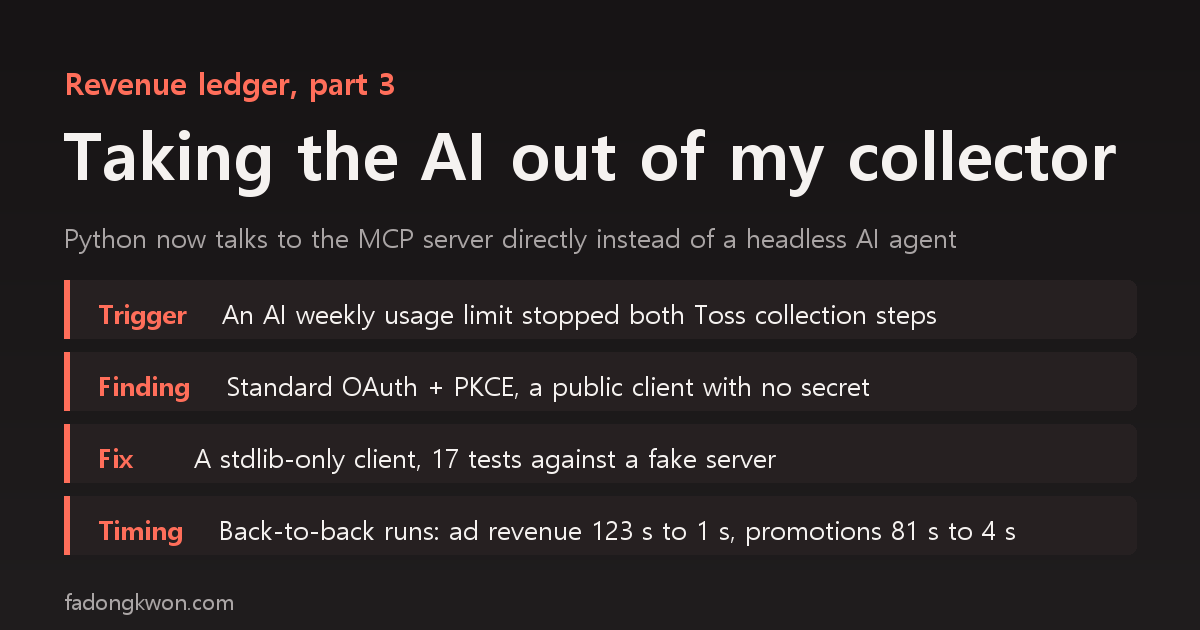
The two Toss steps of my daily revenue collection command died because an AI agent hit its weekly usage limit. I had assumed the console's MCP server could only be reached through an AI client, so my collector was launching a headless AI just to make tool calls on its behalf. The server's public auth metadata turned out to describe standard OAuth with PKCE for public clients, so I switched to a Python client built only on the standard library. Here is the switch, the fake-server tests, before and after timings measured on the same day under the same conditions, and why a zero right after midnight was not a collection error
한국어로 읽기 수익 수집 스크립트에서 헤드리스 AI 호출을 걷어냈습니다 — 파이썬이 앱인토스 콘솔 MCP 서버에 직접 붙기까지
I built a ledger in September that pulls app revenue and reviews into one place, and in early October I folded Toss ad revenue, 1 KRW promotions, AdMob and review collection into a single command (update.cmd). Since then I run that one command every day.
The two Toss steps in that command had an odd part from day one. A Python script launched an AI agent in headless mode (claude -p) and had it call the Apps in Toss console tools on the script’s behalf. This post is about how that part broke, why it was there, and what replaced it. No amounts are included.
The trigger: one limit message took down two steps
Early on November 9, I ran update.cmd as usual and the first two steps ended like this.
1
2
3
4
5
6
7
8
[1/5] Apps in Toss - ad revenue
  ! 전체 리포트 실패 → 앱별 조회로 전환: claude -p 실패 (success): You've hit your weekly limit · resets Nov 12, 11pm
  · toss-per-app: 49건 응답 없음 → 다시 시도
toss: 앱별 조회도 모두 실패 → 잠시 후 재시도
[2/5] Apps in Toss - promotions
  · list: 3건 응답 없음 → 다시 시도
promo: 프로모션 목록을 못 받음 → 잠시 후 재시도
[3/5] AdMob - ad revenue
(The Korean lines say: the workspace report failed, so it fell back to per-app queries; 49 calls got no response and were retried; per-app queries all failed; the promotion list could not be fetched.)
When the workspace-wide report failed, the ad revenue step fell back to querying 49 apps one by one, and none of those answered either. The promotion step could not even get the list. The AdMob and review steps after them ran fine.
At first I read “weekly limit” as a Toss API limit. The error came from calling the Toss console, so I assumed Toss had blocked me. It was the other way around. The message came from the AI agent my collector had launched, and no request had reached the Toss server at all. The (success) status made it more confusing. The AI run itself had “succeeded,” and the content of that successful answer was “you have hit your limit.”
Until the limit reset, the Toss side of the ledger simply had to stay empty. That was the first time I looked squarely at the fact that my revenue collector was tied to AI usage.
Why the collector launched an AI in the first place
Toss ad revenue and promotion payouts are only available through tools on the Apps in Toss console MCP server. The question was how to connect to it. The comment at the top of the shared call module said this (I replaced the product name with “AI agent”).
1
2
3
4
5
"""공용: 헤드리스 claude 로 앱인토스 MCP 도구를 여러 번 부르고 tool_result 원본을 돌려받는다.

MCP 서버(apps-in-toss-console)는 AI 에이전트가 OAuth 로 붙는 원격 서버라 파이썬이 직접 못 부른다.
그래서 `claude -p` 에 "이 호출들을 그대로 하고 DONE 만 답하라"고 시키고, stream-json 의 tool_result 를 직접 파싱한다
"""
In English: “Shared module: call Apps in Toss MCP tools through a headless AI and get the raw tool results back. The MCP server is a remote server the AI agent connects to with OAuth, so Python cannot call it directly. So we tell claude -p to make these calls exactly and answer only DONE, and parse the tool results out of the stream.”
The server was registered and logged in on the AI agent’s side. So I assumed the AI client was the only way in, and built this: Python tells the AI “call this tool with exactly these arguments and reply only DONE,” then fishes the raw tool response out of the AI’s output stream.
1
2
3
4
5
prompt = (f"Call {TOOL} with exactly these arguments: {args} "
          "If the call errors or times out, call it again (at most 3 tries). "
          "Do not repeat the result. When a call succeeds, reply with just DONE.")
cmd = ['claude', '-p', '--output-format', 'stream-json', '--verbose', '--model', MODEL,
       '--max-turns', str(MAX_TURNS), '--allowedTools', TOOL]
It worked. But over a few months this path kept growing extra parts.
| Extra part | Why it was needed |
|---|---|
| Parse raw responses straight from the stream | Having the AI copy out a 50 KB JSON was slow and error-prone (September) |
| Re-read responses over 50 KB from a file | Large responses came back as a “saved to a file” note instead of the body (October) |
| Re-run skipped calls or calls with altered arguments | The AI sometimes skipped a few of 12 calls or changed their arguments |
| Split calls into chunks of 12, three runs in parallel | Handing over too many at once blew through the turn limit |
| Tune the turn limit | Normal calls used every turn, so a single timeout left the result empty (October post) |
| Login expiry hints | When the AI side’s login lapsed, the failure looked like something else |
All of it came from one fact: there was an AI in the middle. This time that AI’s usage limit stopped the collection outright.
Digging in: does the server really accept only AI clients?
Early on November 17, while working through my AI dependencies one at a time, I audited update.cmd again. I had an AI agent sweep the scripts, and this is what it found.
| Step | Script | Depends on AI |
|---|---|---|
| Toss ad revenue | toss_fetch.py | Yes, calls the report tool through a headless AI |
| Toss promotions | promo_fetch.py | Yes, two or three calls through the shared module |
| AdMob | admob_fetch.py | No, Google OAuth directly |
| Reviews | play_reviews.py | No, service account directly |
| Reports and dashboard | report.py and others | No, local files only |
Outside the ledger, one more script that collects Toss metrics (DAU and retention) used the same shared module.
The next question was whether Python really could not connect. An MCP server advertises its auth method in public metadata. Reading that information, which needs no login, I could not find anything that blocked other clients.
| Item | What the server publishes |
|---|---|
| Auth flow | Standard OAuth authorization code |
| Code protection | PKCE supported (S256) |
| Client authentication | Public clients with no secret (none) allowed |
| Token refresh | refresh_token supported |
| Client-specific restriction | None. An unauthenticated call just gets a standard 401 |
A public client with no secret means the flow is designed so a desktop program can get its own token with one browser login. The AI client was connected exactly this way, and there was no reason Python could not do the same.
Borrowing the AI client’s token was blocked, and rightly so
To check quickly, I first tried to borrow the login token the AI client had stored and use it from Python to list the tools. The AI agent’s permission check classified that as unauthorized access and did not run it.
In hindsight, being blocked was correct. Pulling credentials another program obtained means quietly leaning on that program’s login state and refresh cycle. The two can even break each other, for instance when one side refreshes the token and the token the other side holds becomes invalid. So I changed direction and had Python log in under its own name. The user logs in once in a browser, a token file just for the collector is created, and the AI client’s login is left alone.
The switch: an MCP client built on the standard library alone
Around midnight going into November 18, I wrote a new Python module, toss_mcp.py. It uses no third-party packages, only the standard library.
| Command or feature | What it does |
|---|---|
login | Builds an authorization URL with PKCE (S256) and a state value, opens it in a browser, receives the code on a local callback, exchanges it for tokens and saves them to a dedicated file (written to a temp file, then swapped in) |
check | Initializes the server session, lists tools and confirms the 9 tools the collectors need are present (read only) |
call | Calls one tool and prints the raw response (for debugging) |
| Token handling | Refreshes 60 seconds before expiry, refreshes once and retries on a 401, stops with “run login again” if refreshing fails |
| Calls | Sends JSON-RPC over HTTP, reads both JSON and SSE responses, re-initializes when the session expires |
| Transient errors | Connection errors, 5xx, 429 and timeouts get up to three tries, waiting 2 and then 5 seconds |
I kept the shared module’s function name and return shape, and only swapped the path inside. So the promotion and metrics collectors came along with almost no changes.
1
2
3
4
5
6
7
8
9
10
11
12
def fetch(start, end):
    """기본은 직접 호출, LEDGER_VIA_CLAUDE=1 이면 claude -p 예비 경로. 실패하면 RuntimeError."""
    if os.environ.get('LEDGER_VIA_CLAUDE') == '1':
        return fetch_via_claude(start, end)
    return fetch_direct(start, end)


def fetch_direct(start, end):
    import toss_mcp
    args = {'workspaceId': WORKSPACE, 'request': {'startDate': start, 'endDate': end}}
    (data,), errs = toss_mcp.call_tools([('iaa_workspace_dashboard_report_v2', args)], 'toss')
    ...
(The docstring reads: direct calls by default, the claude -p fallback when LEDGER_VIA_CLAUDE=1, RuntimeError on failure.)
I did not delete the old path. Set LEDGER_VIA_CLAUDE=1 and it runs through the headless AI as before. It is the way back if the direct path ever breaks.
A fake server before the real one
Before pointing a token at the real server, I wrote 17 tests that spin up a fake auth server and a fake MCP server inside the test process. They cover the login code exchange, the default callback address, the message when the port is already taken, automatic refresh of an expired token and rotation of the refresh token, keeping the old refresh token when the refresh response does not include a new one, stopping with “run login” when the token file is missing or refresh fails, parsing JSON and SSE responses, re-initializing after a session expires, refreshing and retrying after a 401, retrying a 503, and returning exactly the same shape as the old AI path. I re-ran them while writing this post, and all 17 passed in about 11 seconds.
Then the user logged in once in a browser, and check confirmed the connection, 103 tools, and all 9 the collectors need. After that I ran both steps against the real server.
| Step | Result | Time |
|---|---|---|
| Toss ad revenue | 17 rows added, 617 updated | 1 min 47 s |
| Toss promotions | 65 promotions, 35 daily rows added and 82 updated | 15 s |
The things I could not verify before logging in were settled at the same time: whether the server accepts a client that is not an AI, whether the callback address was right, and whether four parallel calls would hit a server limit. None of them was a problem.
Before and after, measured on the same day under the same conditions
The numbers right after the switch could not tell me how much faster things got, because I had never timed the old path under the same conditions. So for four minutes starting at 11:46 p.m. on November 18, I ran each step once through the fallback path (LEDGER_VIA_CLAUDE=1) and once through the new path, timing each with PowerShell’s Measure-Command. Both steps re-download the last 14 days and overwrite them, which is normal operation, so running them several times against the same ledger gives the same result.
| Step | Old path (headless AI) | New path (direct calls) | Rows handled |
|---|---|---|---|
| Toss ad revenue | 123.0 s | 1.0 s | 683 rows updated, 0 added, both times |
| Toss promotions | 80.5 s | 4.0 s | 65 promotions, 68 daily rows updated, both times |
The order was old ad revenue, old promotions, new ad revenue, new promotions. Both paths got the same data, down to the row counts.
There is one caveat in reading this table. I treat the new path’s 1 second for ad revenue as a number that includes something on the server side. The Toss workspace report normally takes close to a minute per call, and the first run right after the switch took 1 minute 47 seconds. This time the old path had sent the identical query for the same period two minutes earlier, so the server quite likely still had the result at hand. I did not confirm that the server actually behaves that way, though. Conversely, the old path’s 123 seconds include the server’s time for a fresh query.
The promotion numbers are cleaner to read. Listing promotions, checking the balance and fetching payout history are fast queries, so the server’s share is small, and the new path took 15 seconds right after the switch and 4 seconds this time. That the old path spent 80 seconds on the same work I attribute mostly to launching the AI agent, loading the tools and splitting the calls across runs.
In short: the headless AI path paid a fixed cost of tens of seconds per step, and that cost is gone. On a day when the server is slow, the ad revenue step still takes a minute or two on the new path. The bigger change is elsewhere. Collection no longer depends on AI usage, the AI’s login state, or whether a model skips a call.
A side finding: the zero right after midnight was not a collection error
A few minutes after the switch, I ran the full update.cmd, and in the 14-day table the previous day’s (November 17) Toss revenue showed 0. Having just swapped the path, I assumed the new code had missed something.
Looking at the ledger, the November 17 Toss rows were not zero; they did not exist at all. Comparing eight past commits, Toss data had always run only through the day before the collection date. When I queried the same period again a few minutes later, November 17 had rows for only 19 of 49 apps. November 15 and 16 had all 49.
Toss posts the previous day’s ad revenue app by app until around 10 a.m. the next day. Collect right after midnight and the previous day is empty or only partly filled, which is normal. The collector already accounts for this by recording the end of the covered range as the last day that actually has data. I had once fixed the end at yesterday no matter what, and ended up recording a day that had not been posted yet as zero.
1
2
# 끝은 자료가 있는 마지막 날까지 — 토스는 어제 치를 오전 10시에 올린다(공식), 그 전엔 행이 없다.
# 예전엔 끝을 '어제'로 고정해서, 아직 안 나온 날을 0원으로 기록했다(10/15 00:25 수집의 10/14).
(Translation: the end is the last day with data, because Toss posts yesterday’s numbers at 10 a.m. and there are no rows before that. Fixing the end at “yesterday” once recorded a not-yet-posted day as zero.)
So now I do not treat Toss’s previous-day numbers as final before 10 a.m., and run collection once more after 10 if I need them.
What is left
- Removing the fallback: The
LEDGER_VIA_CLAUDE=1path is still there. If the direct path keeps running cleanly for a few more days, I plan to delete it. In this measurement the fallback also ran normally. - Long-term token refresh: The measurement run, about 23 hours after the switch, also succeeded without logging in again. I have not yet lived through the refresh token itself expiring. When that happens, collection is set to stop with a “run login again” message.
- Docs: The README in the ledger repository still describes the old path and needs updating.
- The AdMob step: For reasons unrelated to this post, that step currently ends with an auth error. That is why this measurement covered only the two Toss steps.
What I learned
- “That is the only way” stops being checked the moment it is written down. One comment saying “it only connects through the AI client” set the architecture for months. Reading the server’s published auth metadata took a few minutes.
- Calling fixed tools with fixed arguments does not need an AI. Put an AI in the middle and its limits, its login and guarding against its mistakes all become your code’s job. I use AI agents to figure out what to change and how, and keep the daily repeat path as plain code.
- Do not borrow someone else’s token; log in under your own name. With a public client flow, even a desktop script can properly get its own token.
- Check whose error message it is first. I saw the word “limit” and suspected the wrong side. Looking at which program printed the message would have settled it at once.
- Compare before and after on the same day under the same conditions, and write down the order and any caching. Time only one side and you can never say later how much things improved.
How the ledger started is in Checking 27 Apps by Hand Every Morning, Until I Built a Ledger, and how collection grew into one five-step command is in The Revenue Ledger, Three Weeks On. News comes through this blog and Instagram (@fadongkwon.soft) (opens in a new tab).
The times and figures in this post come from my own collection records between November 9 and 18, 2026 (collector output, commits and code in the ledger repository, and work logs). Server auth methods and response times can change.