Nine Board Games on One Engine — Looking Back on the Eight Days to the October 9 Launch
Reversi, Four in a Row, Gonu, Checkers, Dots and Boxes, Mancala, Sea Battle, Yut Nori and Janggi — I built nine board games on a single shared engine and launched them on Toss on October 9. This covers an AI that gets its difficulty from mistakes, the decision on Janggi's bikjang rule, redoing the home screen options twice in one day, the top inset on Toss game screens, names chosen to avoid trademarks, and the day Yut Nori was registered with a typo
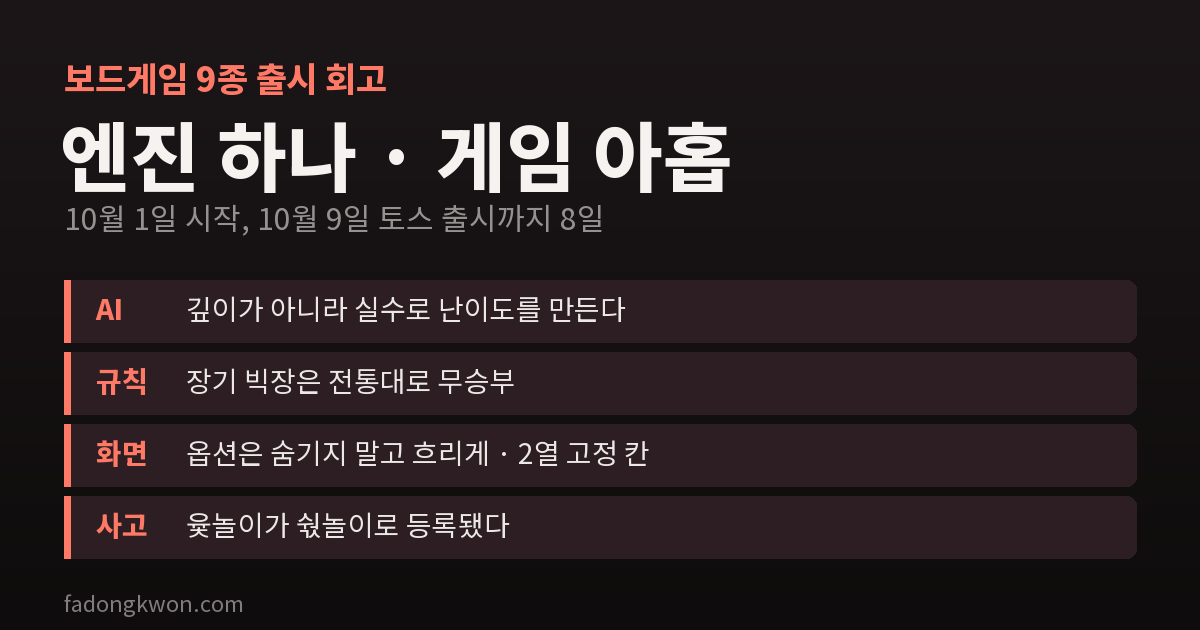
On October 9 I launched nine board games on Toss: Reversi, Four in a Row, Gonu, Checkers, Dots and Boxes, Mancala, Sea Battle, Yut Nori and Janggi. On Google Play, all nine had been approved two days earlier, on October 7.
I started on October 1, and all nine went into their first commit in the early hours of October 2. These are my notes on the eight days to launch, and on what I would do differently from the start next time.
Nine games on one engine
Board games look different but share the same flow. You pick a mode, difficulty and who goes first on the home screen, play on the board, see the result and keep a record. So I built that flow first as a shared engine, and wrote only the parts that differ per game.
- What the engine handles: the home, game, result and record screen flow, board rendering (boards where pieces go in cells and boards where they go on intersections), the search AI, common text in nine languages, and platform work such as ads, notifications and the back button
- What each game handles: its rules and AI evaluation function, game-specific text, and board colors and piece shapes
I picked Reversi as the reference implementation, and the other eight follow its file layout exactly. Every game has rule tests, and the tests also make the AI play itself to the end, to check that a game never gets stuck and that hard beats easy.
I split the nine across several AI coding agents, and after about an hour more than half of them stopped on a usage limit. Once the limit reset, I had each one continue from where it stopped, so nothing had to start over. I learned that running too many at once actually makes things slower.
The AI gets its difficulty from mistakes
Games where two players alternate turns, like Checkers, Gonu, Janggi and Mancala, use a shared search AI. Three things were decided in its design.
- It asks the rules whose turn it is at every move. In Mancala, if your last seed lands in your own store you go again; in Dots and Boxes, completing a box gives you another line. Assuming strict alternation makes the AI wrong in games like these.
- It has a fixed thinking time. It searches deeper step by step, and when time runs out it uses the answer from the last depth it fully finished. The wait is about the same whatever the phone.
- Difficulty comes from mistakes, not depth. With only less depth, the AI plays moves that look just like hard mode and then suddenly loses. Instead it picks among moves that score slightly below the best one, and on easy it sometimes plays any move at all. Looking like a human player turned out to be more fun.
Where I had to choose a rule
Board game rules vary by region and by tournament. An app has to pick one.
- Janggi bikjang. Bikjang is when the two generals face each other with nothing in between. At first I used the tournament style, where a bikjang that is not broken ends the game on points right away. But in casual home play, bikjang usually means a draw. In the end I switched to the traditional rule: bikjang is a draw. The AI follows this rule too: when it is behind it settles for the draw, and when it is ahead it breaks the bikjang. I also fixed the “no draws” sentence in the store description in all 29 languages.
- Gonu. There are many kinds of gonu, so I included three: Well Gonu, Pumpkin Gonu and Cham Gonu.
- Yut Nori back-do. Whether to use back-do is a choice on the home screen.
Redoing the home screen options twice in one day
On October 3 I rebuilt the home screen twice.
At first, mode, variant, difficulty and first player were laid out as one row of buttons each. Games with many options ended up with three or four of these rows, pushing the start button and the other-apps section off the first screen. The feedback was to turn what could be a toggle into a toggle, and what could cycle into a cycling button, so I changed it to a single row of chips. Each chip showed only the current value and dots (●○○), and moved to the next value on every tap.
That night more feedback came.
- With only dots, you cannot tell what a chip is for.
- Switching to two-player mode hides the difficulty and first-player chips, so the row shifts around.
- Depending on text length, a row holds two chips or three.
So I rebuilt it as a fixed two-column grid. Each row has exactly two cells, left and right, with the option’s name (mode, difficulty, first player) on top and its value below. Cells that do not apply right now are dimmed, not hidden. In two-player mode the difficulty cell just turns grey and keeps its place. I shortened values to fit half a row and checked nine languages at three screen widths for overflow. Gomoku, which was already live, moved to the same grid.
Next time I would build the grid from the start. Hiding options makes the screen move, and a moving screen confuses people.
The top of Toss game screens
When fixing non-game apps I had once removed the top and bottom insets on Toss, so I applied the same fix to the board games. That was wrong. Toss’s game category runs full screen, so the webview draws under the status bar and the close and more buttons in the top right sit on top of it. On a real phone, information at the top of the screen was hidden under those buttons.
I fixed it by taking the safe area value Toss provides, pushing the content down by that much, and keeping the top-right button area clear. This made it clear to me that games and non-games follow different screen rules, even within Toss.
Names that avoid trademarks
Some familiar names are trademarks. So these became Reversi (not Othello), Four in a Row (not Connect Four) and Sea Battle (not Battleship). Sea Battle avoids that word even in its English ship names, and the Portuguese name for Four in a Row was chosen to avoid a product name sold there. I also added a check to the release process so these names do not slip into store text.
Launch — and “Syutnori”
I submitted all nine to Play on the night of October 3. For Sea Battle, I answered “no” to the violence question in the content rating questionnaire. All it shows is flames and dots on a grid, with no people and no blood.
Toss came after Play approval produced the game rating certificate IDs. From October 1, first registration had just switched to reviewing app info and the bundle together, and I wrote that process up separately.
One embarrassing thing to note as well. When I first created the app on Toss on October 2, Yut Nori was registered as “숷놀이” (Syutnori), one character off from “윷놀이”. I had converted the Korean text to character codes by hand and mistyped one. Before first registration there is no way to change the title, so test notifications arrived as “숷놀이” until then. I fixed it by typing “윷놀이” directly on the first registration screen. Since this incident, it is a firm rule that Korean text goes in as-is, never hand-converted.
If I did it again
- Fixed option cells from the start. Dim, do not hide.
- Check first that Toss games run full screen. Do not carry over the non-game fix as is.
- Settle contested rules before starting. Changing one later, like bikjang, means fixing the store description in 29 languages too.
- Fewer agents, longer runs. Running many at once hits the limit and ends up slower.
All nine can be played alone against the AI, and every one except Sea Battle, where your fleet has to stay hidden, can also be played by two people on one phone. They might be handy the next time your family sits down for a round of yut nori or janggi.