When Several AI Coding Sessions Share One Repo, Git Breaks Like This — 17 Games Shipped, Never Committed
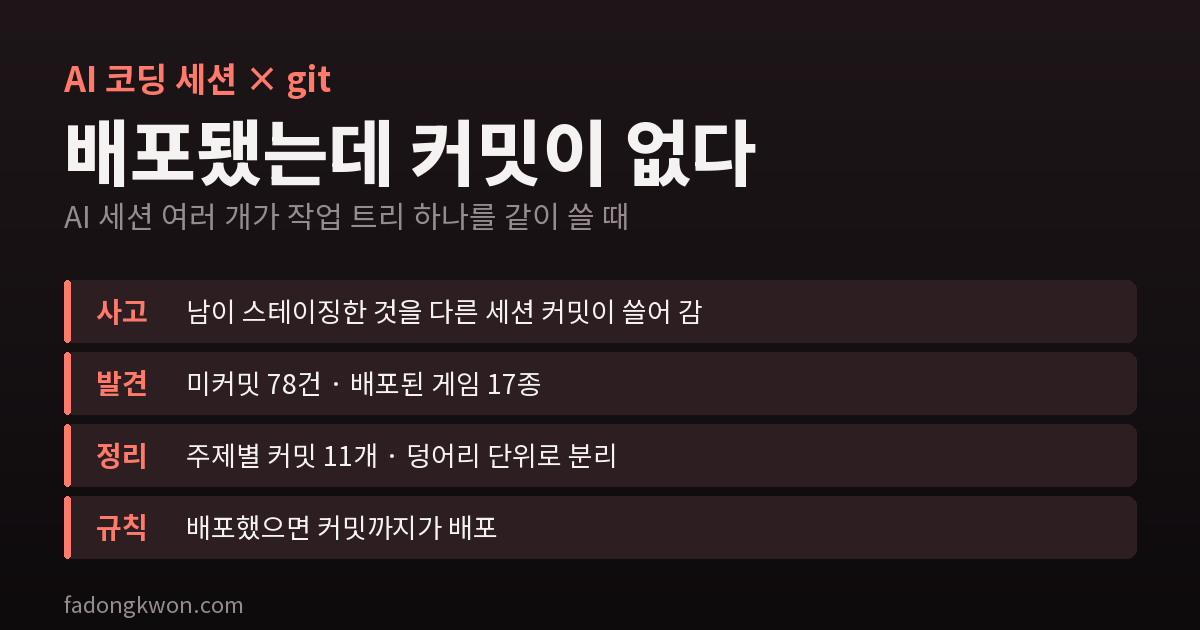
Several AI coding agent sessions work on one repository holding 48 apps at the same time. One session's commit swept up another's staged changes, and 78 uncommitted changes held code for 17 games already in production. How I untangled them into 11 commits
I develop alone, but there are several pairs of hands. I keep multiple AI coding agent (Claude Code) sessions open on one repository that holds 48 apps. One session builds a new game, another fixes bugs in an existing app, another handles store listings.
When people collaborate, each person keeps their own copy of the repository. I don’t. The sessions share a single folder. Build outputs, signing keys and device connections all hang off that folder, and keeping a copy per session in sync would be more work than the problem it solves. The setup has traps you rarely see in human teams, though.
Accident 1: someone else committed what I had staged
Git has a staging area (the index) where you collect what goes into the next commit. With one folder, there is also only one of these.
On October 3, one session staged only the block it had changed in the build configuration file (build.gradle.kts), because another session was editing the same file. Just before it committed, the other session made its own commit and swept that staged block in with it. From the other session’s point of view it had named only its own files — but someone else’s file that was already staged rode along.
The follow-up commit meant to clean this up was worse. The file contents it read from the shared staging area had changed to the other session’s version in the meantime, so a commit whose message said “add check” actually removed the check. I caught it right away from the line counts after the commit (expected 46 lines added, got 203 added and 47 removed), and fixed it with a restoring commit on top instead of rewinding.
The lesson fits in one line: the staging area is not a private “just before I commit” space — it is shared state that rides into the next commit anyone makes.
Accident 2: shipped, but never committed
On October 7 the repository had 78 uncommitted changes, left by several sessions between October 1 and 4. Opening them one by one, I found these mixed in:
- The 1-won promotion mission code for 17 games (a Toss rewards tab feature). It was already deployed to Toss and running for real users.
- Version bumps for 22 apps for Google Play updates
- 48 files of scaffolding for a new game (a castle-toppling game with a physics engine)
- A quiz app bug fix, filming tools and launch checklist records
Deploying means uploading a build, so it works without a commit. That makes it easy to think “uploaded, done”. But if anyone cleans up the repository or rolls back in that state, the code your users are running right now exists nowhere.
Untangling 78 changes into 11 commits
git add -A and one commit would have taken a minute. I didn’t, because later sessions read git log to understand why things are the way they are. One 1,300-line commit explains nothing.
First I checked whether anyone was still working. The most recent modification among the changed files was three days old, and the staging area was empty. If a session had been active, I would have left its share alone.
Then I filtered out the dangerous parts. I checked for large files (videos), whether a push triggers an automatic deploy, and whether any secrets had slipped in. Secrets are also checked automatically by hooks on every commit and push.
Before committing, I made sure everything builds. I type-checked all 24 changed games and ran the new game’s 67 tests. Commit something broken and the next session starts on top of it.
I split by topic. One commit per feature, 11 commits in date order: the 1-won promotion for 17 games in one, the version bumps in one, the new game’s scaffolding in one.
Where one file mixed two jobs, I split it by hunk. The build configuration file mixed “version bumps for 22 apps” with “register the new game”. I split its diff into hunks, made a patch with only the version lines, applied it to the staging area alone (git apply --cached) and committed that first. The remaining new-game lines then went into the new-game commit.
Before every commit I compared the staged file list. If the list I meant to commit differed from what was actually staged by even one file, the commit didn’t happen. That is the guard against accident 1.
The rules I use now
- If the staging area isn’t empty, don’t commit in that repository. It means someone was about to commit.
- Files that several sessions edit get changed in the working tree only and handed over. Build configuration, the app list and the like. If a partial commit is unavoidable, ask the human (me) first.
- Check and commit in a single command. Another session can slip in between “I checked” and “I committed”.
- Right after committing, check that the changed line counts match the intent. That number is what exposed this accident.
- A deploy isn’t finished until it’s committed.
When you hand work to AI agents, the first problem isn’t how fast they write code but how fast unsorted state piles up. With several pairs of hands, you need a procedure for the hands to check each other.
My apps are on Games and Apps. The story of the 1-won promotion is in I put a 1-won promotion on the Toss rewards tab.