I Added Google Play Games Leaderboards to 22 Games, Then Removed 20 — One Place in Code, Blocked by the Cloud Project Limit
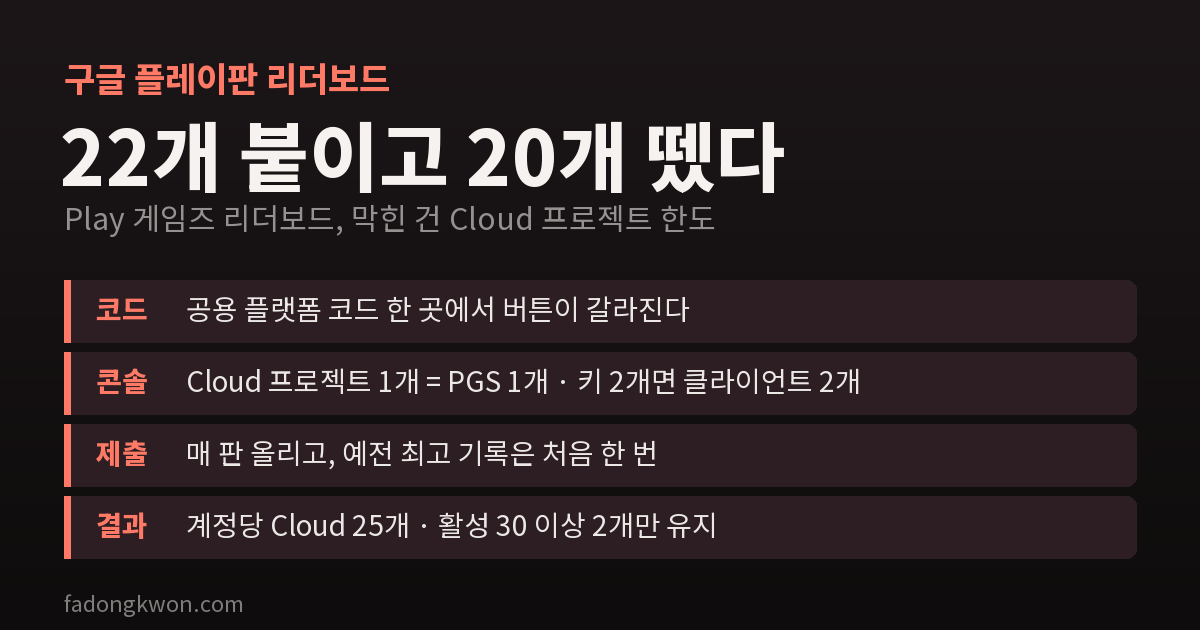
I started adding Google Play Games leaderboards to the Play versions of 25 minigames that use the Toss game center ranking, and got through setup and updates for 22. Game code stays untouched; one shared module does the switching, and the console took nine steps per app. Then Cloud projects capped out at 25 per account and three quota requests were all declined. In the end I kept the 2 games with real users and removed 20. Here is how that went
A month ago I added record tabs to my minigames. Daily, weekly, monthly and all-time records stay inside the app, and the global ranking that compares you with others is handed off to the Toss game center.
The problem was the Google Play version. The same games are also on the Play Store, and there is no Toss game center there. Play users could see their own records but had nowhere to compare with anyone else.
So I decided to add Google Play Games Services (PGS) leaderboards to all 25 games that use the Toss ranking. There was a suggestion to try one or two first, but I went with adding it to every game that keeps a score. To give away the ending: I got to 22, and two days later removed 20 of them. Here is how it went.
The game code stays untouched
Changing the ranking code in each of 25 games means 25 chances to make a mistake. So the switch happens in one shared platform module, the same one I built for the record tabs.
- When the app starts, it asks the Android side whether a PGS leaderboard is configured.
- If it is, the existing Toss ranking button turns into “🏆 Play Games ranking”, and tapping it opens the PGS leaderboard screen.
- If not, everything works as before.
Games still just call “save record” when a round ends. The platform module decides whether that record goes to Toss or to PGS. Each app’s leaderboard ID lives in a single table (app name, sort order, format, ID), and PGS is switched on at build time only for apps whose ID is filled in. Apps whose console setup is not finished have an empty ID, so they automatically ship as before.
Two things done differently from Toss
Submit every round. On Toss I only submit a score when it is a new personal best. PGS keeps the best score for today, this week and all time on its own, so I submit every round, best or not. That is what fills the “today” and “this week” tabs.
Upload the old best score once. Someone who played a lot before the update would not show up in the ranking until they beat their own best. So the first time the app connects to PGS, it uploads the best score already stored on the device, once. The Toss side has the same mechanism, but the two are tracked separately so they never affect each other.
There are two score formats. Games where a higher score is better (Snake, 2048 and so on) submit a number, and games where finishing faster is better (Minesweeper, Sudoku and so on) submit a time in milliseconds. A leaderboard’s sort order cannot be changed after publishing, so I checked the table against the console values before creating each one.
Nine console steps per app
The code was a one-time job, but the console setup has to be done for every app. Trying it once with Snake gave this order, at about 60 clicks per app.
- Create a Google Cloud project
- In Play Console, create a Play Games Services project and link it to the project from step 1
- Set up and publish the OAuth consent screen in Cloud (app name, support email, homepage, privacy policy)
- Create an Android OAuth client with the SHA-1 fingerprint of the app signing key
- Register that client as a credential in Play Console
- Create the leaderboard
- Fill in the game properties (display name, description, category, icon, feature graphic)
- Publish the Play Games Services project
- Add the PGS items to the Data safety form
I got stuck in four places.
- One Cloud project per PGS project. Every app needs its own Cloud project. This is what ended up overturning the whole plan, as described below.
- Apps with two signing keys. In August and September I upgraded the signing key of almost every app. People on versions signed with the old key also need to sign in, so I had to create one more OAuth client and one more credential, using the SHA-1 of the previous key as well as the current one. The previous key’s fingerprint is inside the “previous app signing key” menu on the app signing page in Play Console.
- Do not upload a logo to the consent screen. Uploading a logo to the OAuth consent screen triggers Google’s app verification review. I filled in only the name and links and left the logo empty.
- The Data safety form. Using PGS means declaring that you collect a user ID and app activity (score submissions). I added those two items as app functionality and optional. I made one form with the common items for my ad-supported apps plus these two lines, and uploaded the same form for each app.
I did this by clicking through the console in a browser, and when the browser tab went into the background, its timers slowed down, so dropdowns would not open and the work stalled. During console work, that tab had to stay in front.
Stopped at 22 — 25 Cloud projects per account
By October 10 I had finished the console setup for 22 games and submitted updates for all of them. Snake, the first one, I checked on a real phone (Galaxy S23): opening the app signed in to Play Games automatically, the old best score of 220 was uploaded once, and the ranking button opened the PGS leaderboard screen.
Three games were left, but when I tried to create the 23rd Cloud project I got “You have reached your project limit.” This account’s Cloud projects, the 3 it already had plus 22 for PGS, came to 25, and that was the cap.
I requested a quota increase three times. All three were declined with an automatic reply saying I had plenty of quota left. The console said I was at the limit, while the request channel said I had room. The third time I quoted the console message word for word, with the same result.
I looked at other options too.
- Several games sharing one PGS project. According to the documentation, that feature is for different editions of the same game (such as free and paid versions), not for bundling different games together.
- Creating Cloud projects under another Google account. Using multiple accounts to get around quotas can violate the Cloud terms. With every app depending on one account, I did not want to take that risk.
So I removed 20
I changed direction: keep leaderboards only on games that people actually play. The bar is 30 or more active devices on Play. Only Sky Jump and Brick Breaker cleared it.
On October 11 I submitted updates removing the leaderboard from the other 20. The code kept the structure from the start, so removing an ID from the table was all it took. I also switched their Data safety forms back to the version without the PGS items. After confirming all the updates had gone live, on October 12 I shut down the 20 Cloud projects that were no longer used.
Shutting them down does not free the slots right away, though. A shut-down project stays pending deletion for 30 days and keeps counting against the quota. So the slots only come back after November 11. Until then, no new PGS projects.
New games from here on
At first I decided that every new score-based game would include PGS by default, and even changed the release check script. I have withdrawn that rule. New games ship without PGS, and only games that gather enough Play users get it later. As long as the game’s row is already in the table, adding it later only means filling in the ID.
Looking back, the early suggestion to try one or two first was right. Counting the console work and reviews for 22 games plus the updates to remove them again, adding leaderboards one at a time to games that already have users would have been far cheaper. Before spending a resource that has a quota, check the total first. That is the lesson from this one.