Four Defects on Hub Launch Day — Why Every Hub Turned Sideways and Promo Entries Showed Only a Title
On the day I put the hubs on Apps in Toss, phone testing turned up four defects at once. Every hub forced itself into landscape, the hub home went blank below the title only when opened from a benefits-tab promo card, the hub home had never attached a banner at all, and the non-game hubs had a black band at the top. The causes were a bridge copied from a landscape-only game, a constant used before its declaration ran, where the ad slot ID was read from, and a doubled safe-area inset. Here is why the local browser looked fine and what I check from now on
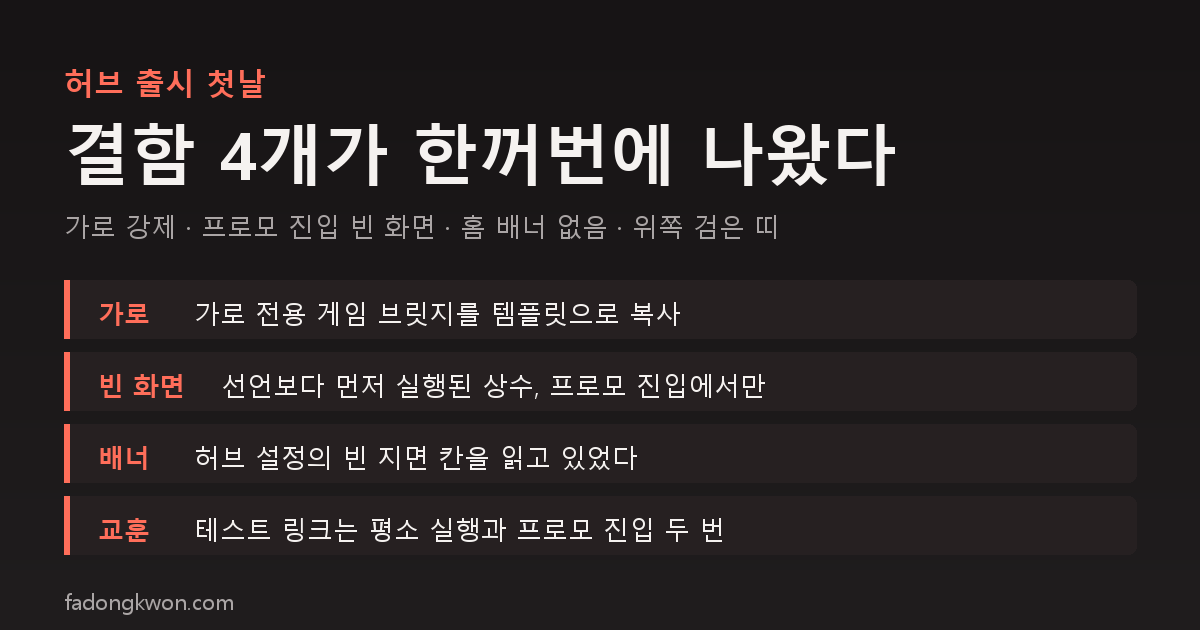
한국어로 읽기 허브 출시 첫날 결함 4개 — 가로로 돌아가고, 프로모로 들어오면 제목만 남던 이유
As the hub conversion post describes, I put the hub apps on Apps in Toss in the early hours of October 26. The moment I opened the review bundles on a phone, four defects showed up. This post covers their causes and fixes. Two of them did not reproduce in a local browser, and why that happened is the heart of this post.
1. Every hub turned sideways
All four test bundles rotated the screen to landscape as soon as they opened. The hubs are portrait apps.
The cause was the Toss bridge file. When I built the hub wrappers I copied the wrapper of Castle Topple as the template. That game is landscape-only, so its bridge locks the screen to landscape at boot and again every time a page is shown. The template went out to all nine hubs, so all nine were landscape.
Before (the bridge in the wrapper template)
1
2
3
4
5
6
7
8
9
10
// Castle Topple is landscape-only — rotate the Toss mini app screen to landscape
function setLandscape(type) {
  try {
    if (typeof Screen?.setOrientation?.isSupported === 'function' && !Screen.setOrientation.isSupported()) return;
    Screen.setOrientation({ type });
  } catch (e) { /* … */ }
}
setLandscape('landscape');
window.addEventListener('pagehide', () => setLandscape('portrait'));
window.addEventListener('pageshow', () => setLandscape('landscape'));
After
1
// Hub bundles default to portrait — games that need landscape rotate on their own via the orientation module
Deleting one block was the whole fix. Games that need landscape, like the card games, already rotate on their own through the orientation module.
I removed that block from the template and all nine wrappers and rebuilt. The catch was that the five game hubs already had approved bundles carrying the same code. That evening, alongside the app info approval, those bundles were released, so the game hubs opened in landscape for about 20 minutes until the fixed bundles were approved and swapped in.
The hub audit script only checked that the bridge was loaded, not screen orientation. Which game the template came from became the defect.
2. Promo entries showed only a title
This was the one that took longest. Three hubs drew the title and subtitle and nothing below. Oddly, opening them from the console’s test push worked fine. Only opening them the way a benefits-tab promo card does (with from=promo at the end of the link) left them blank.
In a local browser the same bundle at the same address was fine. The clue was in the user’s screenshot: the two stat pills under the title were drawn empty. The numbers inside are filled in at the very end, after the screen is drawn, so boot never got that far. It stopped on the line right after the header.
That next line builds the promo notice. The notice function reads a constant (one line of fine print) declared further down the file, but the hub home starts booting above that declaration. Function declarations are hoisted, but a constant cannot be read until its declaration line runs, so building the notice threw and everything after it stopped.
Before (hub home main.ts, Korean UI strings shown in English)
1
2
3
4
5
6
7
8
9
10
11
12
13
if (!C) {
  app.append(el('p', 'hub-error', '…'));
} else {
  boot(C);            // ← boot starts here
}

// … (further down)
const PROMO_FINE = '(fine print: no payout for abuse, may end without notice)';
function promoText(st: PromoState): string {
  return st === 'pending'
    ? `(finish one game in the hub for 1 Toss point, once a day) ${PROMO_FINE}`
    : `(today's 1 point already received) ${PROMO_FINE}`;
}
After
1
2
3
4
5
6
7
function promoText(st: PromoState): string {
  // a module-level constant is initialized after boot(C) runs — keep it inside the function
  const PROMO_FINE = '(fine print: no payout for abuse, may end without notice)';
  return st === 'pending'
    ? `(finish one game in the hub for 1 Toss point, once a day) ${PROMO_FINE}`
    : `(today's 1 point already received) ${PROMO_FINE}`;
}
promoText is a function declaration, so calling it from above is fine, but the PROMO_FINE it reads is not initialized yet. Moving the constant inside the function creates it at call time, so the order no longer matters.
A normal launch never builds the notice, so it never reads that constant. That is also why it did not reproduce locally. Whether a launch came from a promo is decided by the entry URL that Toss hands over, and a browser has no such value, so adding from=promo to the address bar still counted as a normal launch. Once I swapped the entry URL for a promo link and re-ran it, the same screen appeared at once, and moving the constant inside the function made it go away.
The certification hub is a single page built on a different template, so it did not have this defect. Its promo notice, though, only appeared on the home screen after picking an exam, so I added it to the first screen, the exam picker, as well.
3. The hub home had never shown a banner
The banner at the bottom of the hub home did not appear either. Checking showed the hub home had never attached a banner since the hubs launched.
The hub home read the banner slot ID from the hub config file, and that field was empty. The real slot IDs live only in each app’s wrapper config, which the bridge injects into the page. The game pages inside a hub already read the bridge’s value, but the hub home had been missed. One added line makes it use the bridge’s value when the hub config is empty.
Before
1
const bannerId = cfg.ads?.banner;   // the ads field in hub.json — empty
After
1
2
3
const bannerId =
  cfg.ads?.banner ||
  (window as unknown as { __tossAdGroups?: { banner?: string } }).__tossAdGroups?.banner; // slot injected by the wrapper
4. A black band at the top of non-game hubs
Lucky Lab, Daily Quiz and Exam had a needless black gap at the top. Non-game mini apps on Toss get a separate Toss navigation bar at the top, and the hub home was adding the safe-area inset on top of that. I had hit this once already with Save Instead of Lotto in September, so the fix is the same: drop the top and bottom safe-area padding on non-game hubs inside Toss, and keep it on game hubs, where Toss overlays the top of the screen.
Before (hub home style.css)
1
2
3
body {
  padding: env(safe-area-inset-top) env(safe-area-inset-right) env(safe-area-inset-bottom) env(safe-area-inset-left);
}
After
1
2
3
4
5
6
7
body {
  padding: env(safe-area-inset-top) env(safe-area-inset-right) env(safe-area-inset-bottom) env(safe-area-inset-left);
}
body.platform-toss.hub-nongame {
  padding-top: 0;      /* the Toss navigation bar already clears the top */
  padding-bottom: 0;
}
Both classes are added at boot: platform-toss when the Toss bridge is present, and hub-nongame when the hub config’s isGame is false.
Order of fixes
| Time (October 26) | What happened |
|---|---|
| Around 2 a.m. | Landscape and blank-screen reports, landscape block removed from the bridge |
| 2:30 a.m. | Blank-screen cause found and fixed, home banner and top gap fixed too, three non-game hubs resubmitted |
| 2:40 a.m. | Promo notice added to the certification hub’s exam picker |
| 8:30 p.m. | Five game hubs released first on the old bundles and opened in landscape → swapped for fixed bundles |
What I check from now on
- Open test links two ways: a normal launch and a promo entry (
from=promo). Different code runs depending on the entry path. - When checking locally, swap the entry URL for a promo link. A parameter in the browser’s address bar does not recreate the same condition.
- If a wrapper template was copied from one game, strip that game’s own blocks (screen orientation, leaderboards and so on) first.
- If an already-approved bundle carries the same defect, upload the replacement before pressing release.
The apps are listed under GAMES and APPS, and some can be played right in the browser. Updates go out on this blog and on Instagram (@fadongkwon.soft) (opens in a new tab).
Times and symptoms were checked on Apps in Toss test bundles and live screens on October 26, 2026.