I Put the Same Logo Badge in the Same Corner of 76 App Icons — The Series Spec Set on the Day a Text-Only Icon Got Rejected
The first icons for seven certification apps were two Korean characters like "care" or "drive," and they were rejected. That day I made the hub icon spec the rule for every app, a dark background with an accent gradient, one shape symbol in the center, and a company logo badge at the bottom right, and added the same badge to 60 existing Play apps. Here are the four rounds the badge went through, why its position never moves even when it covers part of a symbol, why two kids' apps were excluded, how 28 of 60 Play icon uploads failed with server errors, and why launcher icons only change with each app's next update
한국어로 읽기 앱 아이콘 76개에 같은 자리 로고 배지를 넣었습니다 — 글자 아이콘이 반려된 날 정한 시리즈 규격
Once the app count passed seventy, the icons had drifted apart. Early apps carried the company logo, it dropped out somewhere in the middle, and a few of the latest, made in a hurry, were text only. On October 25 one of those text icons was rejected, and I used the occasion to settle on a single spec. This post is that spec and how it was applied.
The rejected icon
The first icons for the seven certification apps (care worker, cosmetologist, cook, baker, forklift and excavator, driver’s license, and the hub) were two Korean characters such as “care” or “drive” on a dark background. The reaction was immediate: “too lazy, look at the hub icon spec, the company logo has to be in there.” The week before, the hub thumbnails had been a fixed design with neither text nor logo and drew the same comment, so this was the second time.
The spec
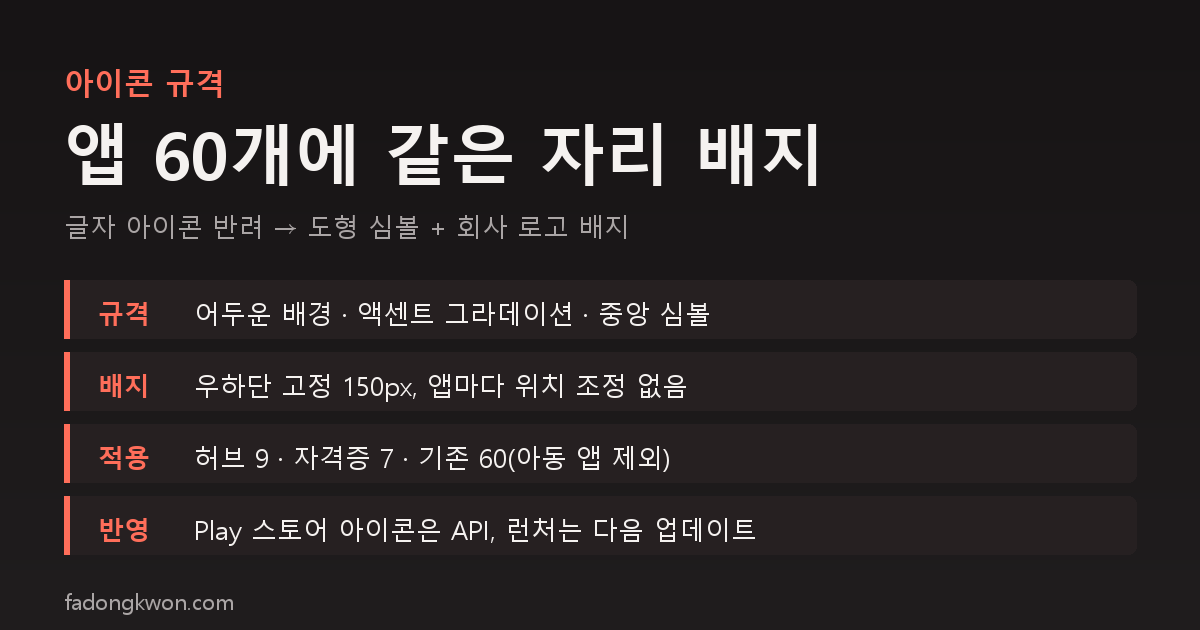
The form settled for the nine hub icons became the rule for every app.
- Background. Dark base with a vertical gradient in the app’s accent color and a soft glow in the center. Full-bleed square, so it sits cleanly under the stores’ rounded-corner masks.
- Symbol. One shape in the center that stands for the app. No text, no emoji. Care worker is two hands holding a heart, cosmetologist is scissors and a comb, cook is a chef’s hat, baking is a loaf, forklift is a forklift, driver’s license is a steering wheel, and the certification hub is a certificate with a medal.
- Badge. A 150-pixel rounded square plate at the bottom right carrying the company logo. Dark navy gradient with a blue edge, a 7-pixel extrusion to the lower right and a drop shadow so it does not look pasted on.
The badge went through four revisions to reach this shape. It started as a small chip; “small and tucked away” made it larger and moved to bottom center; the symbol got crowded, so it went back to its original size, semi-transparent and overlapping the bottom right; the transparency was withdrawn in favor of opacity with extrusion; and “the logo looks like it is floating” put a plate behind it. The brain drawing on the Brain Check hub was called “creepy” and became a light bulb. The generator draws shapes only and uses no fonts, so it produces the same result on any machine.
Extending it to 60 existing apps
Along with “my original principle was that my apps carry the F logo,” the decision was to add the same badge to the existing apps. The target was the 60 live Play apps minus the two kids’ apps (Hangul Monsters and Math Monsters). The kids’ apps keep their Teacher Approved badge and Kids tab eligibility, so their icons stay untouched.
There was one rule. The badge position is not adjusted per app. A few apps have their symbol at the bottom right and the badge covers part of it, but the call was “do not move it for the apps it covers, consistency is what makes it look unified.” So all 60 use the same coordinates.
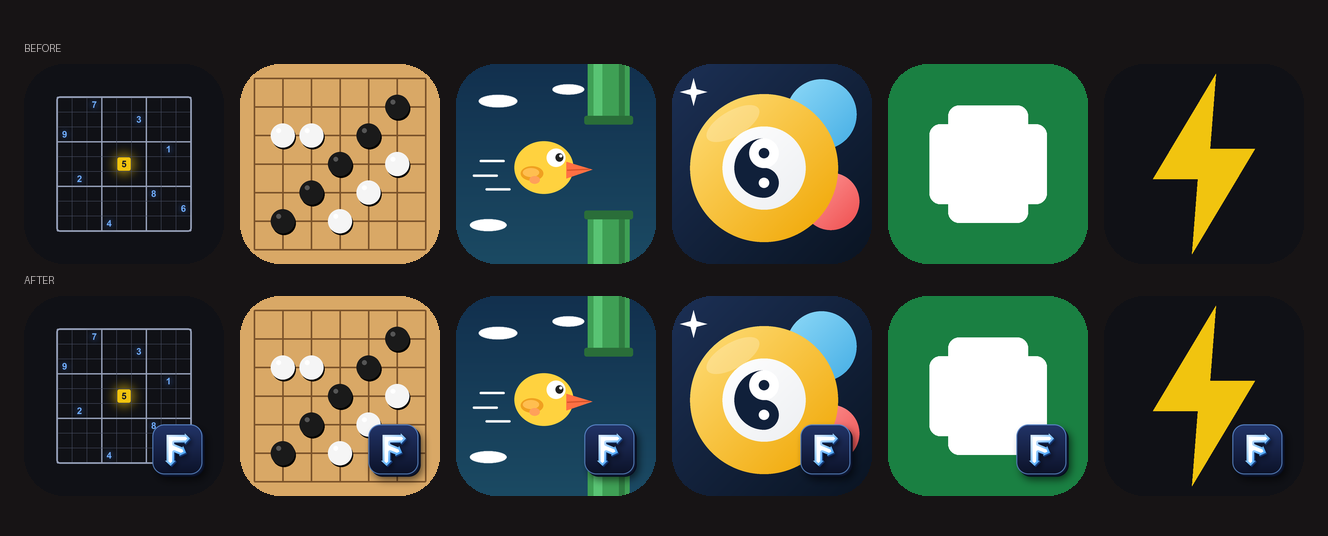 Top row before, bottom row after. The badge sits in the same place on every app.
The tool keeps the originals aside and composites the badge from them, so running it repeatedly never stacks badges. It rewrites three store icon sizes, the Toss logo, and the Android launcher resources (legacy and adaptive). Adaptive icons expose a 72dp visible area, so the badge is scaled into that. One caveat: keeping the originals inside the resource folder breaks the build, because the hyphen in the filename violates resource naming rules. The originals live outside.
Pushing to Play
Store icons were replaced through the API. Some listings carry a separate icon per language, so those were replaced too before submitting for review. On the first batch run, 28 of 60 failed at the upload step with Google-side 500 and 503 errors. The edits were discarded automatically, so no app was left half-applied, and a retry with five-step backoff and a three-second gap between apps got 27 through, with the last one submitted on its own. Batch uploads should leave a gap between apps. Apps that already had a change in review had the icon change folded in and their review restarted.
The launcher icon installed on phones is a different matter. The resources are already updated, but they ship with each app’s next regular update AAB. I did not rebuild all 60 for the icon alone because the monorepo working tree holds other unverified changes, and an icon-only rebuild would ship that code with it.
Toss icons changed only as files; the console was left alone. On Toss, changing an icon restarts the app-info review and locks app info while it runs, so that is a separate decision.
Summary
- A rejected text icon prompted raising the hub spec to the spec for everything: dark background, accent gradient, shape symbol, logo badge at the bottom right.
- The nine hubs and seven certification apps follow the spec from the start; the 60 existing apps got only the badge, in the same spot. Two kids’ apps are excluded.
- The position does not move even when the badge covers something. Consistency comes first.
- Play store icons were replaced via the API for all 60, launcher icons follow with each next update, and Toss is undecided.
The apps are listed under GAMES and APPS, and some can be played right in the browser. Updates go out on this blog and on Instagram (@fadongkwon.soft) (opens in a new tab).
The rejections and decisions here are from internal review on October 17 and 25, 2026, not from store review.