The First Outside Library in My Monorepo, the planck Physics Engine — Decisions Made Building Castle Topple
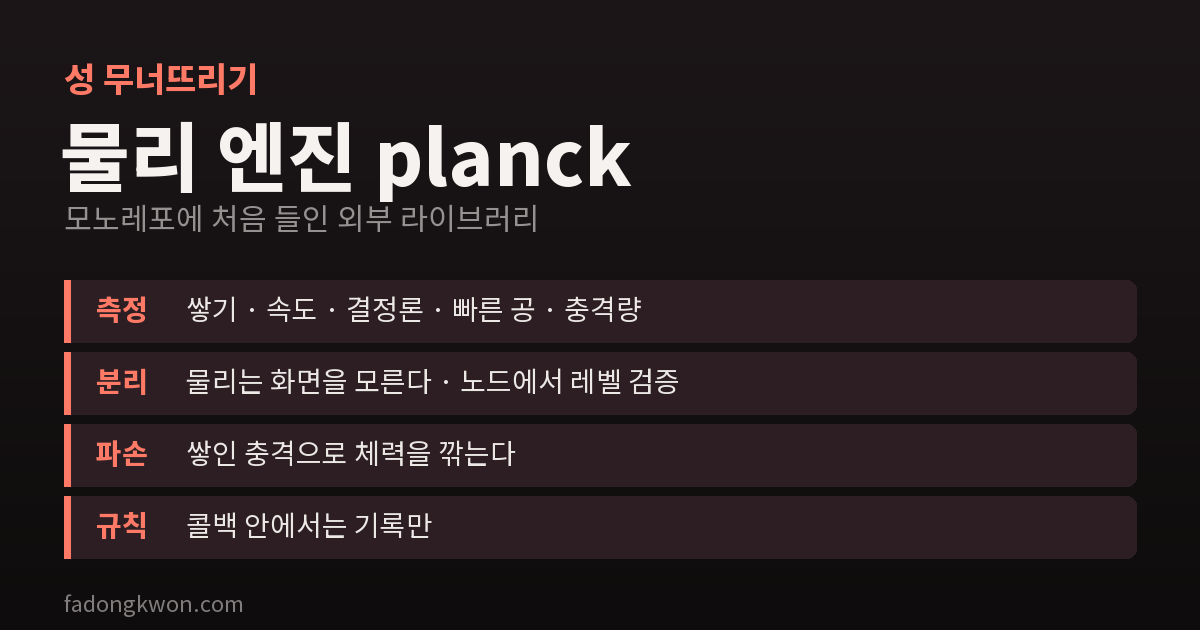
After building 40-plus minigames with no outside runtime libraries, Castle Topple is the first to bring one in: the planck physics engine, a Box2D port. This covers the five things I measured in Node before adopting it, a physics module kept apart from the screen, breaking blocks by accumulated impact, the rule of never changing the world inside callbacks, and a seven-story tower that kept wobbling on its own
On October 12 I launched Castle Topple on Google Play, and on October 14 it went out on Toss under its new Korean name, Siege King (파괴왕 공성전). It is a physics puzzle: pull back a cannon, fire, bring the castle down and knock over the knights guarding it.
This game differs from every minigame I have made so far in one way. It is the first to bring in an outside runtime library: the physics engine planck.
Why I had not used one before
I have made more than 40 minigames, and all the code that runs while you play was written by hand — the bouncing ball in Brick Breaker, the trajectories in Bubble Pop, the circle physics in Merge Pop. There were three reasons.
- Bundles have to be small. Toss rejects apps whose first load is slow.
- One dependency spreads to dozens of apps. Put it in a shared package and every app inherits that library’s version and bugs.
- I could write what I needed myself. Physics for one ball or a few circles takes a few hundred lines.
Castle Topple was different. Dozens of blocks have to stack, tilt, push each other and collapse. Getting a stack of objects to simply stand still is one of the hardest parts of a physics engine, so I decided this was not something to write myself.
Why planck
planck is a JavaScript port of the 2D physics engine Box2D, under the MIT license. Countless physics puzzle games have used Box2D, and it has everything stacking and toppling need.
I pinned it exactly at version 1.5.0 and added it only to this game’s package, not to any shared package. Every other game still builds without planck.
Five things measured in Node first
Before writing any game code, I ran planck alone in Node, without a browser, and checked five things.
- Does a stacked tower stand? A 14-box tower came to a complete stop after 10 seconds and “went to sleep” (the state where the engine stops computing it). A table of a beam on two pillars was stable too.
- Is it fast enough? 600 steps (10 seconds’ worth) took 56 ms — plenty of headroom on a phone.
- Same input, same result (determinism)? Firing at the same level with the same angle and power collapsed it exactly the same way every time. Why this matters is below.
- Does a fast ball tunnel through a thin plank? A ball at 70 m/s pushed a 10 cm plank instead of passing through it. The feature for fast objects (continuous collision detection) works.
- Can I get how hard things hit? Every collision reports its strength (impulse) through a callback. Breaking blocks needs this.
Only after all five passed did I start the design.
Keep physics apart from the screen
The physics module knows nothing about the screen (the DOM), so it can be loaded and tested in Node as is.
Combined with determinism, that becomes very useful: a program can check that a level is solvable. A solver fires at different angles and powers and counts how many shots it takes to win. Without determinism, a solution found that way might not work in the real game, and the check would be meaningless.
So I set some rules:
- Time moves only in fixed 1/60-second steps. Even if frames slow down, physics advances at the same interval.
- Objects are always created in the same order: ground → fixed parts → blocks → seesaws → knights.
- No
Math.randominside physics. Even the directions debris flies follow a fixed pattern. - Slow motion and hit-stop happen only on the drawing side. Physics time is never touched.
Units are meters and seconds, as Box2D recommends. Blocks are 0.5–2 m, the cannonball has a 0.3 m radius, and a camera converts to screen pixels.
Blocks break from accumulated impact
Box2D has no notion of “breaking.” Objects only collide and bounce. So I made the breaking rules myself.
- Every block has health, equal to
material factor × mass. Wood, ice, stone and gold have different factors; ice is the weakest and stone the toughest. - Each hit subtracts its impulse from health, and at 0 the block breaks. A block that survives one hit can still break after several.
- Light touches do not count. If two objects approach each other slower than 1.5 m/s, or the impulse is tiny, it is ignored. Without this, blocks simply resting on each other slowly lose health and the castle collapses on its own.
- The multiplier depends on what hits. A regular cannonball does no damage to stone; only the iron ball and explosions can break it.
Every number was set by actually firing shots. For example, a wooden pillar breaks from a 14 m/s cannonball and survives 12–13 m/s.
Never change the world inside a callback
This was the first rule I set, and the most important.
planck reports “these two collided” through callbacks in the middle of its calculation. Removing a block or setting off an explosion right there changes the lists the engine is working through, and things go wrong. So callbacks only record, and everything is processed together after the step finishes. Processing also runs in object ID order, keeping it deterministic.
The seven-story tower that wobbled on its own
When a level loads, blocks overlap or float by tiny amounts. Starting straight away makes the tower jolt for the first few seconds. So at load time I run 80 steps in advance with damage switched off to let things settle, then set all velocities to zero.
Even so, a seven-story tower kept wobbling for 5 seconds afterwards and never went to sleep. Zeroing velocities once at the end of the 80 steps left the tower in whatever lean it had at that moment, and it started swaying again. Resetting velocities to zero every 20 steps cut the wobble to under a tenth and let it sleep within 17 steps.
The automatic 1 cm gap between stacked layers is there for the same reason. With a smaller gap, the engine pushing blocks apart actually made things shake more.
How much bigger it got
With planck included, the Toss build’s JavaScript was about 360 KB in the first version and about 450 KB in 1.1.0, which went landscape with 60 levels — still inside the 500 KB target set during design. There are no image files at all; block textures and castles are all drawn in code. There are more than 90 tests, and the physics, camera and level checks all run in Node.
One thing I got wrong
The physics worked, but I got the composition wrong. What I originally wanted was a tall castle filling the screen and crashing down, but what I built became a lob toward a distant castle. The current app will keep being refined in this composition, and the tall-castle version will be a separate app that reuses the same physics engine. Keeping the engine apart from the screen makes that reuse easy.
Summary
- Bring in an outside library only when the reason is clear, and only into that game. Pin the exact version.
- Before adopting it, measure the core behaviors in Node: stacking, speed, determinism, fast objects, impulses.
- Keep physics apart from the screen and deterministic, and level checking can be left to a program.
- Callbacks only record; processing happens outside the step, in a fixed order.
- Count light touches as damage and a stacked castle will fall down by itself.
The next place this engine goes is the tall-castle version. I will write again then about what carried over and what had to be built new.