27 Languages Were Inheriting the English Screenshots — The Pipeline That Shot and Uploaded 43 Japanese Screenshots
Google Play shows the default-language screenshots for any locale without its own. Our games support nine languages in-app, but screenshots existed only in English and Korean. This covers the browser automation that switches locale per shot, automatic checks for leftover Korean text and clipped labels, re-shooting 22 games after a 360px clipping fix, and uploading 43 Japanese sets through the API
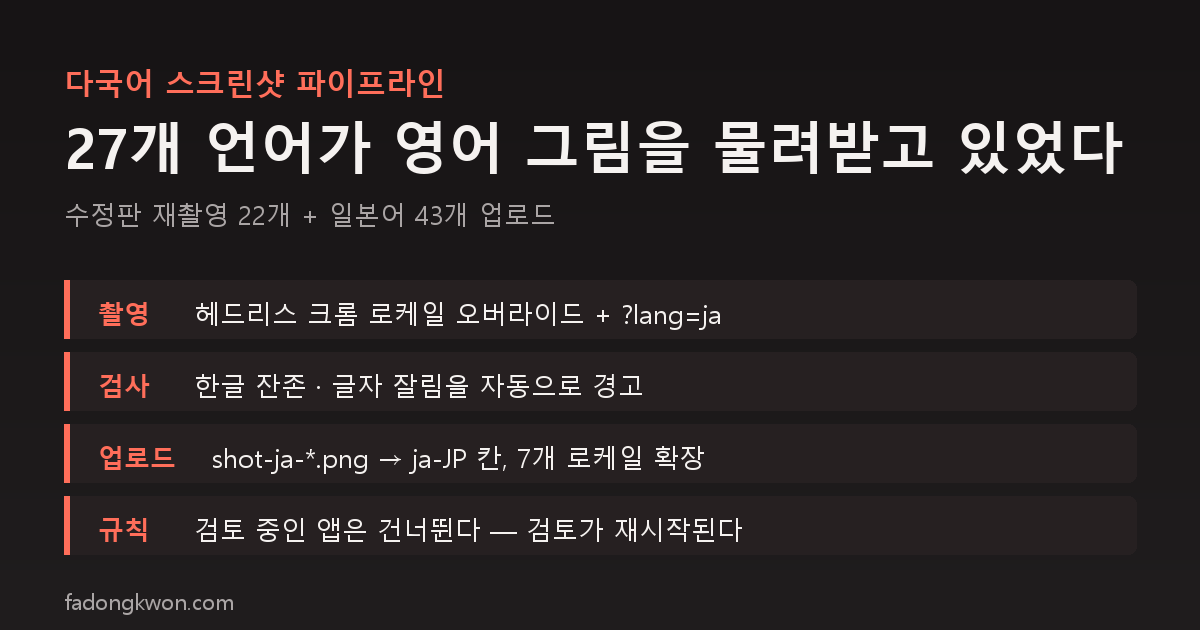
A Play listing has a separate screenshot slot per language. If a slot is empty, Play shows the default-language images. Our games run in nine languages in-app (Korean, English, Japanese, Chinese, Spanish, Portuguese, German, French, Italian), yet screenshots existed only in English and Korean. A Japanese user looking at the store was seeing an English screen.
The same day I rewrote the Japanese listings, I dealt with screenshots too. Two jobs had piled up on top of each other.
Backlog one: re-shoot with the fixed screens
In early October I fixed text clipping on 360px-wide screens: the records tab, the row of secondary buttons on the home screen, the top display in Sudoku, Minesweeper and Nonogram, Solitaire’s landscape toggle, and so on. It lives in a shared stylesheet, so nearly every game was affected, and the fixed builds rolled out to 22 games on Play and 5 on Toss between October 7 and 13.
But the screenshots on the store were taken on October 3, before the fix. Now that the rollout was done, they had to be re-shot.
Backlog two: Japanese screenshots
To handle both at once, the capture tool needed to take a language. It already did.
- The game is served locally and headless Chrome opens it.
- Through the Chrome DevTools protocol the tool overrides the locale and the Accept-Language header, and appends
?lang=jato the URL so the game renders in that language. - Each game has a “choreography” file that moves to the moments worth showing (home, mid-play, results) before each shot. Games without one fall back to random taps.
- A language’s old files are deleted and rewritten only when every scene in that language succeeds. If something fails midway, the old images stay.
Two things the tool checks for you
Nobody can look at hundreds of images, so two checks are built in.
- Leftover Korean. If Korean characters appear in a non-Korean screenshot, it warns. That means a string is missing a translation. This time the only Korean left was intentional, such as the answer words in the Korean word game; everything else was zero.
- Clipped text. If an element’s text overflows its box, it warns. Re-shooting 22 games in English and Korean produced zero clipping warnings; in Japanese, only a few long labels in Billiards and Mini Golf shortened to an ellipsis. They still read fine, so I left them.
Uploading
The Play API upload tool only handled the English and Korean slots. I extended it so that if a folder contains files like shot-ja-1.png, they go to the matching locale slot (ja-JP, zh-TW, es-ES, pt-BR, de-DE, fr-FR, it-IT). Apps whose listing lacks that language are skipped. The scope this time was Japanese; the other seven languages have the tooling ready but were not shot.
The results:
- Of the 22 English and Korean re-shoots, 21 were uploaded. Reaction Challenge had a new version under review, so its shots were kept on disk only.
- 45 games were shot in Japanese and 43 uploaded. Reaction Challenge, Janggi and Castle Topple were excluded because they were under review.
Since these are listing changes, every one goes back through review. The public page images change once review completes.
Traps along the way
- Play has separate slots for phone, 7-inch and 10-inch. The same images have to go in all three to qualify for the featured formats.
- Uploading images to an app under review restarts that app’s review from scratch. Check the status first and skip.
- A third session was editing other files in the same repository at the same time. Committing only the screenshot PNGs and the capture tooling, and touching nothing else, kept us out of each other’s way.
Summary
- Without per-language screenshots, the default-language images are shown. If the app supports a language, shoot it.
- One tool that switches locale makes all nine languages cost the same.
- Leftover Korean and clipped text should be caught by a check, not by eyes.
- Skip apps that are under review.