How I Bundled 50 Games into 9 Hub Apps Without Touching a Line of Game Code — Multi-Page Bundles and One Global Flag
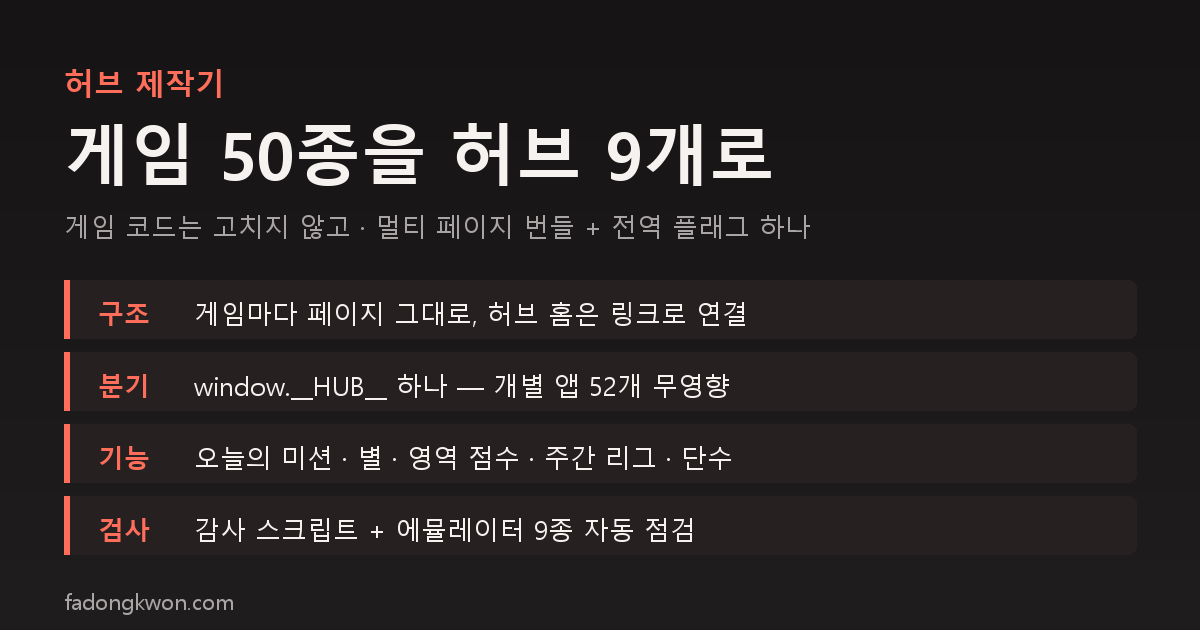
I grouped about fifty standalone apps into nine hubs, Puzzle Cafe, Brain Check, Arcade, Board Duel, Olympics, Lucky Lab, Daily Quiz, Lucky Pick and Card Games. Here is why I built each hub as a multi-page bundle instead of a single-page app, how one runtime flag turns on hub mode without affecting the 52 live apps, the hub-only features such as daily missions, hub points, area scores and a weekly league, the audit tooling and emulator checks, and the icons that got rejected twice
한국어로 읽기 게임 50종을 허브 9개로 묶은 방법 — 게임 코드는 한 줄도 고치지 않고, 멀티 페이지 번들과 전역 플래그 하나로
I started building the nine hubs on October 17, the first hub reached Google Play on the 24th, and in the early hours of the 26th four of them went onto Apps in Toss. The reasons for going with hubs are in the exposure-policy post, so this one is about the building side. There was one constraint. Do not modify the code of the fifty-odd games. Fifty-two standalone apps are live on two stores, and the hubs must not change them.
Why multi-page instead of a single-page app
Say “hub” and the first picture is fifty games merged into one single-page app. Try it and you hit a wall immediately. The games all run at module top level. The moment a file loads, it grabs a canvas, binds events and reads storage. Turning that on and off inside an SPA means wrapping all fifty in start and teardown functions, which is the same as modifying all fifty.
So I looked at the bundle layout instead. Every game is built with Vite and uses relative asset paths. That means if you only redirect the output folder under the hub, the game runs unchanged from that sub-path. A hub bundle looks like this.
1
2
3
4
5
6
dist-hub/puzzle/
  index.html          hub home
  hub-env.js          hub config (explained below)
  g/sudoku/index.html game page, the standalone build as is
  g/2048/index.html
  ...
Going from the hub home to a game is a plain link. A link navigation pushes a history entry, and the Toss back gesture pops one history entry, so pressing back on a game’s home naturally returns to the hub home. I wrote no back-navigation code for this.
The build tool loads each game’s own Vite with only the output folder changed, and at the end injects one small script into every page. That script is the whole of hub mode.
Hub mode switched on by a single global flag
To behave differently inside a hub without editing game sources, the branch points have to live in shared packages. Fortunately the games all use shared packages for ads, leaderboards, push and cross-promotion. So the shared packages now look at one runtime global, window.__HUB__. It is set by a script that is injected only into game pages inside hub bundles. The 52 standalone bundles do not carry that script, so the value is undefined there. I chose a runtime global over a build flag for the same reason: touching build settings could alter the standalone builds.
Only five things change in hub mode.
| Feature | Standalone app | Hub mode |
|---|---|---|
| Toss leaderboard | Submitted per app | Off. Toss allows one leaderboard per app, so hub points take its place |
| “Round finished” signal | Used for push-consent and rating timing | The same signal records today’s mission as done |
| Ad placement IDs | Each app’s own | Overridden with the hub app’s placements |
| Cross-promo list and share button | Shown | Hidden, since the hub home grid is the list |
| 1-won promotion | Paid per game | Per-game payout off, one payout per day for the whole hub |
The “round finished” signal had one trap. Eight completion-type games such as Sudoku and Nonogram send that signal in two places, on completion and on leaving mid-game. Left alone, opening a puzzle and leaving would count as a finished mission. Instead of editing the games, the hub counts the signal only when the result screen is showing.
The same principle had a pleasant side effect. Storage keys for push consent, rating prompts and the daily ad cap were already per app, so inside a hub they are automatically shared as one for the whole hub. Game records use app-prefixed keys, so they never collide.
The hub home: zero remote requests, drawn once
The hub home is its own package with no external dependencies. Title, tabs, included games and the mission pool are read at build time from the config file and the app registry and embedded into the script. There are no network requests at all because of the 20-second first-load rejection on Apps in Toss and its first-screen stability rule. The home renders once per session, and when you come back from a game it only updates mission marks and numbers. There are no image tags either. Game icons are drawn as CSS backgrounds.
Tab switches are also back-gesture targets on Toss. A history entry is pushed only when leaving the default tab, and never from inside the back handler. Breaking that rule was the cause of a fourth rejection on a non-game app earlier.
Today’s missions are picked from the mission pool with the date as the seed. Every user gets the same missions on the same day. A mission is worth 10 points, finishing all of them that day adds 20, and consecutive full days extend a streak. Settlement finishes before the home renders so the numbers never change after they are drawn.
One dedicated feature per hub
Missions and points are shared. Each hub also got one feature that fits its character. All of them use only on-device storage, with no remote requests.
- Puzzle Cafe, stars. One star for finishing, two or three when time or score clears a threshold. Retrying the same day with a better result adds only the difference.
- Brain Check, area scores. Games are assigned to four areas, language, memory, reflex and attention, and the last three rounds are scaled to 0 to 100 for an area score and an overall figure. There is no conversion to an age, and the card always says the numbers are game scores and not a medical assessment. The Korean name avoids “Brain Age”, a Nintendo trademark, which is also why the English name is Brain Check.
- Arcade, weekly league. Each of the seven games’ best score this week is normalized against a par value and summed, with a reset on Monday. Ranks run from rookie to champion. Because the Toss leaderboard is off inside hubs, this is the only ranking element in the hub. There is no comparison with other people, since the hub makes no remote requests.
- Board Duel, rank. Across 16 board games, only the first win at each AI level scores (easy 1, normal 3, hard 6), and the rank climbs from beginner to master. Losses never lower it.
- Lucky Pick, shared participant roster. The roulette, ladder, lots and penalty roulette share one list of names typed once. The storage key is aligned with the new tools.
- Card Games, shared deck. Solitaire, FreeCell, Spider and Pyramid share one set of card images. That has its own story and gets its own post.
All thresholds are initial estimates. They sit in one file so that only the numbers need adjusting once real score distributions come in.
Audit tooling and the emulator
A multi-page bundle contains more than ten pages, too many to check by eye. The audit script verifies, for each hub bundle, that every game page in the config exists, that every page uses relative asset paths, that the hub flag is injected into every game page, that the Toss bridge script is present on every page, that the hub home has no external URLs or image tags, and that there is no history push inside the back handler. A missing bridge once got one app rejected three times in a row, so it is a fixed line item.
On top of that I ran the existing first-load gate and first-screen stability gate against the hubs, and wrote a script that opens all nine hubs on an Android emulator and checks each game for “opens, renders, back returns to the hub, back from home exits, zero console errors, zero external requests.” Most of what I fixed before all nine passed was on the back-navigation side.
The icons that got rejected twice
Hub icons and Toss thumbnails use shapes only, no text. The first thumbnails were a fixed design, the hub icon on a patterned background, and they came back as “too lazy.” I redid them with six included-app icons next to the hub icon. The icons themselves went through four rounds on the position, size and opacity of the company logo badge. Brain Check’s brain drawing was called “creepy” and became a light bulb with a lightning filament.
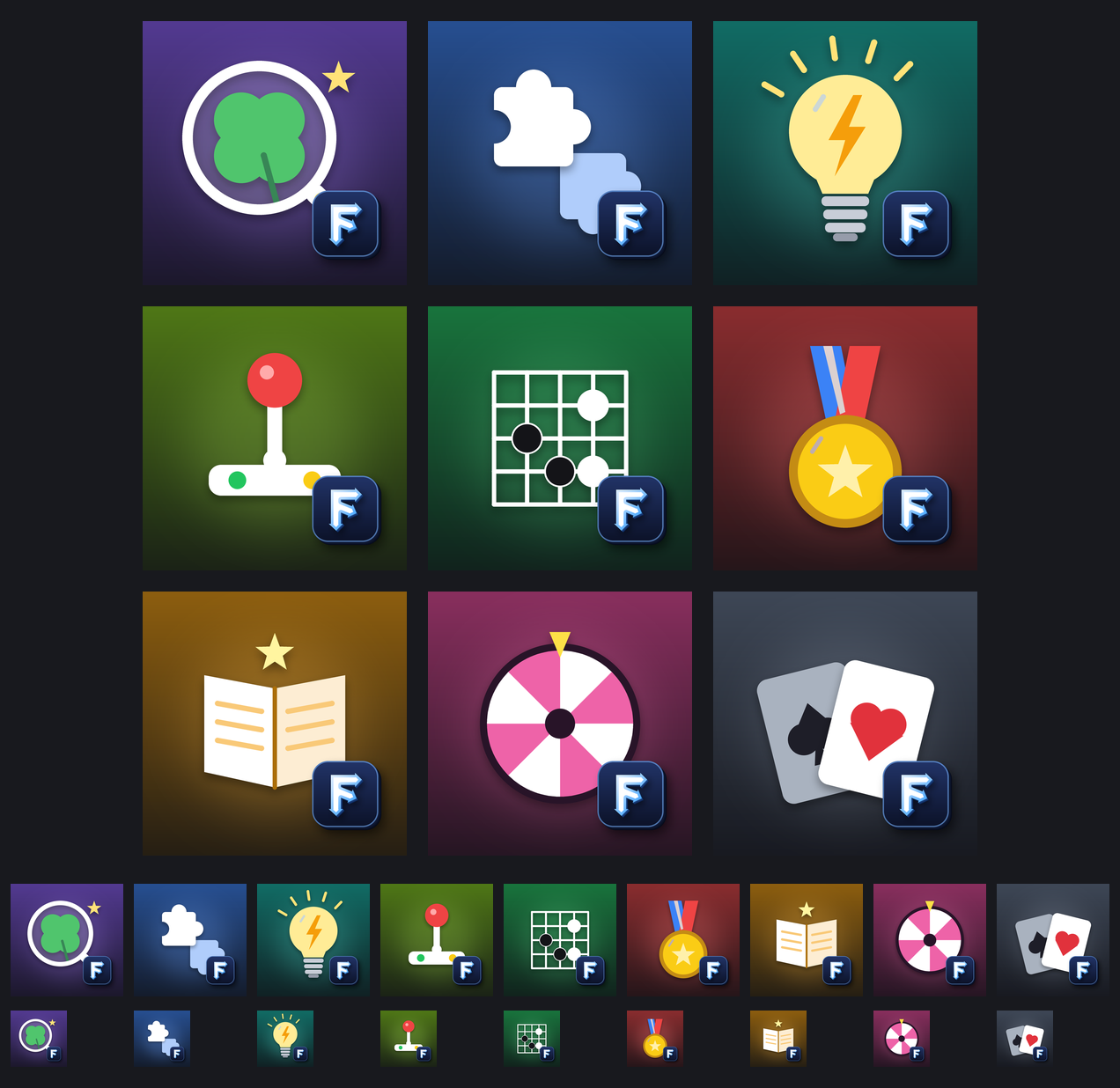 The nine hub icons. Lucky Lab is a four-leaf clover, Brain Check a light bulb, Olympics a gold medal. The same badge spec was later applied to 60 existing apps.
Where things stand and what is left
- On Play, the five game hubs are live, and the four non-game hubs plus Card Games go up once next week’s new-app quota resets.
- On Apps in Toss, the four non-game hubs are live and the five game hubs are in app-info review. The process is in the conversion post.
- Game pages inside a hub use the same storage keys under the same app identifier, so records built up in the standalone app show up unchanged in that game inside the hub.
- Still to do: a banner ad on the hub home, a “next mission” button on more result screens, and tuning the thresholds against real data.
The apps are listed under GAMES and APPS, and some can be played right in the browser. Updates go out on this blog and on Instagram (@fadongkwon.soft) (opens in a new tab).
The structure and rules in this post reflect work between October 17 and 26, 2026. The shared packages and build tooling keep changing, so read the numbers and thresholds as values from that time.