Korean Particles Broke My Quiz App — 310 of 700 Answers Got the Wrong Ending
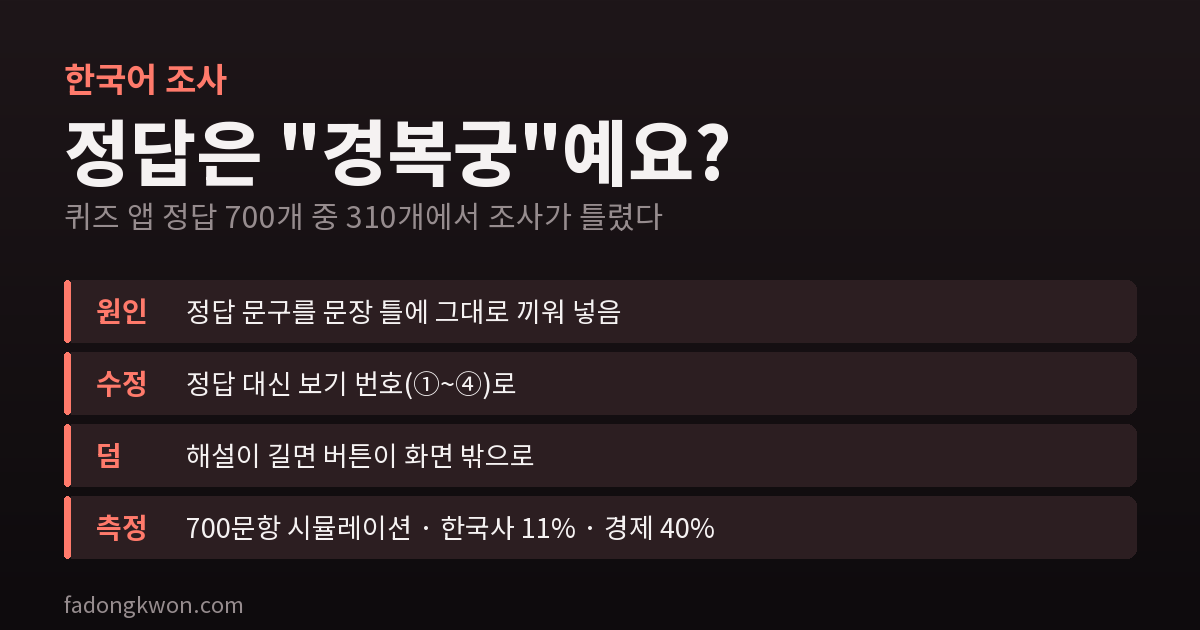
My Korean history quiz told wrong answers 'the answer is "Gyeongbokgung"-yeyo', which is bad Korean for any answer ending in a final consonant — 310 of 700. I fixed it by showing the choice number instead, and a 700-question simulation found buttons pushed off screen
Daily Korean History is an app that gives you one Korean history question a day. When you get it wrong, it tells you the answer: “So close. The answer is ○○.” In Korean, that one line was ungrammatical for nearly half the questions.
“The answer is Gyeongbokgung-yeyo”
The message was built like this:
1
아쉬워요. 정답은 "{a}"예요.
{a} is filled with the text of the correct choice. The catch is the sentence ending 예요 (-yeyo, “it is”). Korean picks the form by the last sound of the word in front of it: after a vowel it is 예요, after a final consonant (batchim) it is 이에요. “세종대왕” (King Sejong) ends in a vowel, so "세종대왕"예요 is fine. “경복궁” (Gyeongbokgung) ends in a consonant, so "경복궁"예요 is wrong — it should be 이에요.
When I counted every answer in the 700-question bank, 310 ended in a final consonant. Roughly every second player who missed a question was reading a grammatically wrong sentence. In a Korean history app, of all places.
Show the choice number instead of detecting the consonant
The obvious fix is to detect the final consonant and attach the right ending. Hangul syllables encode that in Unicode, so it isn’t hard.
But looking at the screen again, there was a simpler answer. When you miss a question, the correct choice in the list already gets a green “Correct” tag. There was no need to repeat its text in the message.
1
아쉬워요. 정답은 {a}번이에요.
{a} now holds the choice number (① to ④). The word after it is always 번 (“number”), so the ending can be fixed to 이에요 once and for all. Answers ending in digits or parentheses won’t matter either. Rather than fixing the sentence, I made it impossible for the sentence to be wrong.
Found the same day: long explanations pushed the buttons off screen
While fixing the particle, I found one more thing. After you answer, an explanation appears, with “Next question” and “Home” buttons below it. When the explanation was long, the buttons were pushed below the screen and you had to scroll to see them.
Instead of guessing how often that happened, I counted. I simulated the screen for all 700 questions answered wrong, and the buttons ended up off screen for 11% of the questions in Daily Korean History and 40% in Daily Money Quiz. The economics explanations carry term definitions, so they run much longer.
The fix is to pin the button row to the bottom of the screen (position: sticky; bottom: 0). With a short explanation it stays where it was; with a long one it waits at the bottom. Two things needed care.
- The ad notice had to stay with the buttons. When the next question will be preceded by an ad, a line under the buttons says so. If that line sat outside the button box, the buttons would stay pinned while the notice disappeared below the screen. An ad with no warning is a rejection reason in the Toss review, so I moved the notice right after the button row, inside the same box.
- The bottom banner height must not be subtracted twice. A banner ad sits at the very bottom. Fixed-bottom elements normally need to be lifted by the banner height, but here the app area is already shortened by the banner, so leaving it alone was correct. Measured at 375×812 with a 60px banner, the bottom of the button row was at 736px and the banner began at 752px — no overlap.
As a bonus, Daily Korean History’s back (←) button was missing its styles and rendered as the browser’s default white box on Google Play and the web. It now matches the round star button.
What I learned
- Dropping a value into a template sentence is especially risky in Korean. Particles change with the last sound of the word in front: 은/는, 이/가, 을/를, 와/과, 예요/이에요 — all the same trap. When you can’t fix the sentence, changing the value you drop in is another way out.
- “Sometimes” looks different once you count it. I had seen the buttons pushed off screen a few times on my own phone; running the whole bank showed it was four in ten for the economics questions.
Daily Korean History and Daily Money Quiz are on Google Play and Apps in Toss. My other apps are on Games and Apps.