Syncing a Local HTML Checklist With a JSON File, No Server — Letting a Human and an AI Write the Same File With the File System Access API
My execution checklist is a single HTML page opened over file://. For an AI agent to read and write the same checks and notes as the browser, I needed shared storage. The local server I started with had to be kept running, so I replaced it with the File System Access API, storing a JSON file handle in IndexedDB and writing changes straight to the file. Also covered are Chrome re-asking for permission on every load and how the first click now requests it
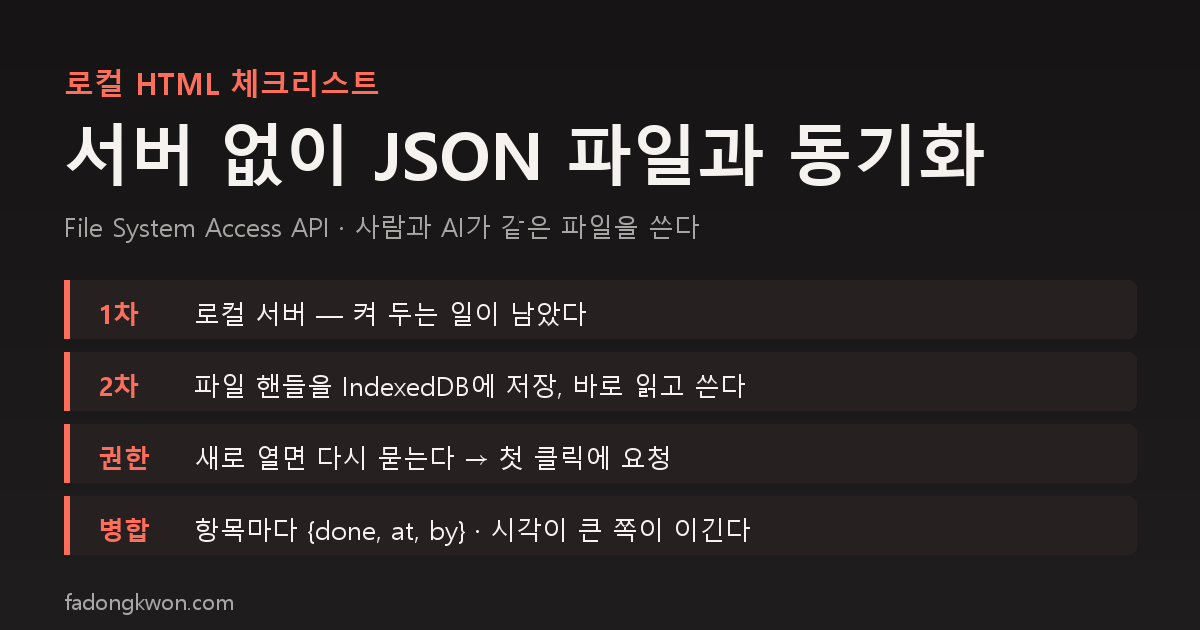
I keep an execution checklist for app launch work. It is one HTML file with 99 items, opened from a browser bookmark at a file:/// address. No server, no build.
The catch is that people are not the only ones ticking boxes. An AI agent that finishes a task checks the item and leaves a note, and I check things and edit notes in the browser. Both sides need to see the same state, but the browser’s checks lived only in localStorage, where the agent could not read them.
Round one: a local server
The first fix was a small Python server. The page posted checks and notes to a server on 127.0.0.1, the server wrote them to checklist-state.json, and the agent read and wrote the same file with a script. Every 10 seconds the page re-read the server to pick up the other side’s changes.
It worked, but keeping the server running remained a chore. A server the agent launched from a shell died when that shell ended, after which the page quietly showed stale state and saved only locally. Adding it to the startup folder was an option, but the honest assessment was “I’m not putting something in startup for a checklist I won’t use forever.”
Round two: the page reads and writes the file itself
A page opened over file:// cannot even fetch the file next to it, let alone write one. But Chrome has the File System Access API. Once the user picks a file in a file dialog, the page receives a handle for it and can both read and write through that handle. Pages on file:// count as secure contexts, so the API is available there.
The structure:
- Connect: a button opens
showOpenFilePickerand the user pickschecklist-state.json. The handle is stored in IndexedDB. Handles are serializable objects, so they can be saved. - Read: every 10 seconds, and whenever the window regains focus, the page reads the file with
handle.getFile()and merges. - Write: when a check or note changes, the page re-reads the file, layers the changed entries on top, and writes the whole thing with
createWritable(). Writes are serialized through a promise chain so they never overlap. - Merge rule: every entry carries
{done, at, by}and the later timestamp wins. The file format is the same as the server era, so not a single line of the agent-side script changed. The change history accumulates in aloginside the same file.
The server code is gone, and so is the startup shortcut.
Chrome asks for permission again
One point of friction remains. The handle is stored, but write permission resets every time the page is opened. Chrome asks again whether this site may modify the file, and that prompt can only be shown from within a user action such as a click.
At first that meant pressing the connect button again. It was annoying, so I made the first check or note click double as the permission request. When a check changes, the save routine runs 300ms later, and at that point the user activation is still alive, so requestPermission can be called. Press Allow and the pending changes are saved on the spot. The status line now reads “Permission pending — tick any item and Chrome will ask to allow.”
What testing taught me
- A check toggled and toggled back leaves no trace in the file. I made it skip the write when the value is unchanged, which meant that to confirm writing worked at all I needed a change that stuck.
- Changes that piled up in the browser while the server was down are not lost. The moment it connects, they merge by timestamp.
- The page head had no
<meta charset="utf-8">. Onfile://Chrome guessed correctly so I never noticed, but when I served it over a local HTTP server for testing, every Korean character broke. It is in now.
Summary
- For a local HTML page to read and write a file directly, the File System Access API alone is enough. No server needed.
- The handle persists in IndexedDB, but write permission is asked again on every load. Request permission on the first user click and the friction nearly disappears.
- For a human and an agent writing the same file, a single merge rule, “later timestamp wins,” turned out to be enough.