I Moved the Play Console Clicking to the API — 121 Locale Slots and a One-Line Release
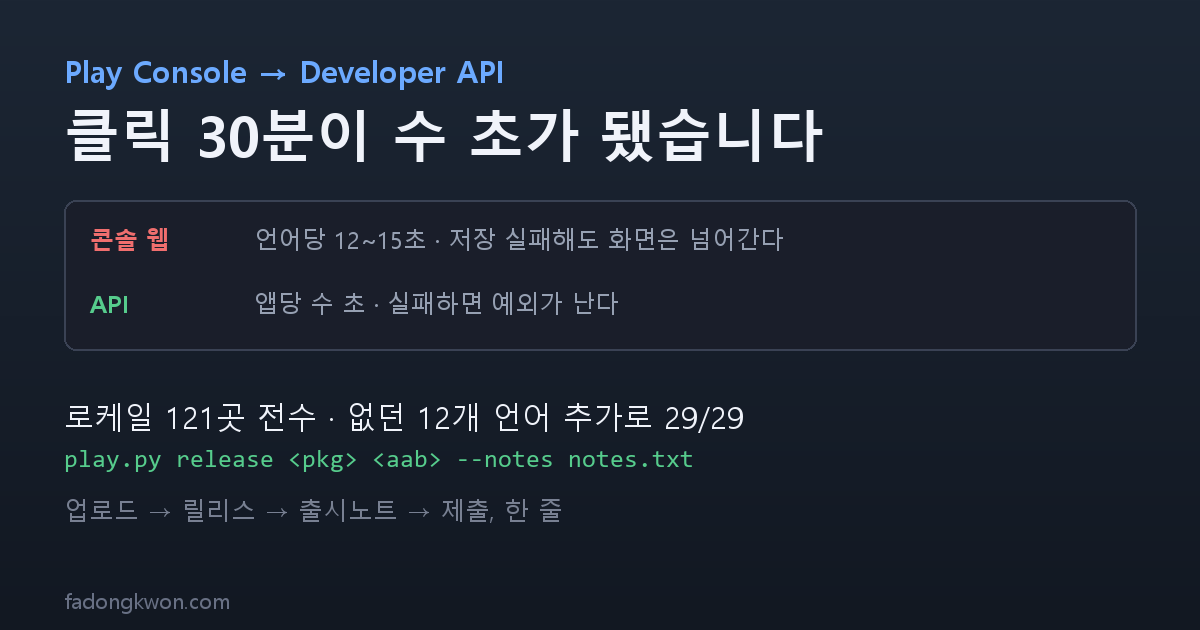
The video on a store listing is a per-language field. Locale counts differ by app — 2, 17, or 29 — and through the console web each language took 12 to 15 seconds, while the Korean field sometimes failed to save without saying so. Adding two service account permissions moved the work to the Play Developer API: seconds per app, and AAB upload plus release in a single line
한국어로 읽기 Play 콘솔을 클릭하던 일을 API로 옮겼습니다 — 로케일 121곳과 출시 한 줄
After attaching YouTube Shorts to 22 apps I noticed something odd. Korean users could not see the videos.
The cause was simple. The video URL on a Play Store listing is a per-language field. Put it in en-US and, unless you also put it in ko-KR, anyone browsing in Korean sees an empty slot. And the number of registered locales differed from app to app.
| App | Locales |
|---|---|
| 22 mini games | 2 (en-US, ko-KR) |
| 2 tarot apps, 2 monster apps, Saju Lotto | 29 |
| Juice Spinner, Spin the Bottle | 17 |
Filling the video for five apps with 29 locales means 145 slots. And you do it in the console web, switching languages through a dropdown and saving one at a time.
What browser automation is actually like
At first I automated the console web. Each screen takes 12 to 15 seconds. Open the language dropdown, find the entry, fill the field, save, move to the next language. Filling 121 slots took over thirty minutes and failed several times along the way.
The way it failed was worse. When a selector changes or a dropdown toggle slips, the save does not happen but the screen moves on anyway. So when the page reported “1 change,” that was not success — it was the signal that the Korean field had quietly failed to save. A healthy run reports two. It took me a while to notice that.
A door that was already open
A few days earlier I had created a Play Developer API service account to collect reviews. Back then I granted read-only permissions — view app information, view app quality information, reply to reviews.
Writing listings needed one more. In the console: Users and permissions → Account permissions tab → App information → “Manage store presence.”
⚠️ Turn this one on knowingly. The name says app information, but the actual scope covers pricing, in-app products, content ratings, and promotions. That makes where you keep the key file matter. Mine lives in a folder outside any repository, and that folder is deliberately not a git repository. Only the tool is version-controlled, in the games repo, and the key path is passed in through an environment variable.
Once the permission was on, the work took seconds per app. Filling 29 locales became a single batch of calls.
The results
- All 121 slots filled — Spin the Bottle, Juice Spinner, Tarot Fortune, Hangul Monsters, Tarot Ping
- 27 more slots for Math Monsters
- Tarot Ping had no video at all, so I filmed a new one
Something unexpected got cleaned up along the way. Juice Spinner and Spin the Bottle only had 17 locales — because translations existed for only 17 languages. Since I was already in there through the API, I wrote titles and descriptions for the 12 missing languages (Czech, Danish, Finnish, Hungarian, Hebrew, Dutch, Norwegian, Romanian, Russian, Slovak, Swedish, Ukrainian) and added them. Both apps went to 29 out of 29.
Through the console web that would have been 12 languages × 2 apps = 24 screens of dropdown navigation. I wrote it into one JSON file and ran it once.
Release in one line
Rather than stop there I also added the “Release to production” permission. With it, everything from AAB upload to submitting for review happens through the API.
1
py play.py release <package> <AAB> --notes notes.txt
That one line uploads, creates the track release, registers the release notes, and commits — which submits for review. Before this, each app meant seven coordinate-click steps in the console, and there was even a handoff document describing that procedure. That document is now only needed for registering a brand-new app.
What the API does and does not do
Not everything works. Knowing the boundary saves time.
| Works through the API | Needs the console web |
|---|---|
| AAB upload, production release, release notes | Content rating, data safety, target audience |
| Listing text and video (all locales) | Creating a new app |
| Adding and removing locales | Store settings (category, contact) |
| Uploading screenshots, icons, feature graphics | Policy status, appeals |
| Reading tracks, versions, countries; reading and replying to reviews | Anything to do with Apps in Toss |
In short, declarations and app creation belong to the console; repetitive work belongs to the API. So I set one rule: check whether the API can do it before opening the console. It is written into my skill notes as automation priority zero.
The traps
Overlapping edit sessions kill it. API work is built around creating an edit and committing it, so if a console tab has the same app open you get This Edit has been deleted. Send the automation tab to another page and run it again.
Track status completed is not a review status. It refers to the rollout percentage. Whether an AAB is under review shows only as the “In review” text in the console. And committing to an app that is under review restarts that review from the beginning — which is why for Math Monsters I saved only the Korean field and held off on submitting.
Even when changing only the video you must send the title, short description, and full description. A listing update overwrites per locale, not per field. Leave them out and they are erased. There are length limits too — 30 characters for the title, 80 for the short description, 4000 for the full one.
A release is a real release. Run release and the versionCode is consumed and review begins. You cannot upload the same versionCode twice. So run --dry first. I verified exactly that with the snake game.
Even a listing-only change needs a check that production is “active” before you submit. That one I learned by running into it.
What I take from it
Reaching for browser automation first had become a habit. There was a screen, so I drove the screen, and it did work. But the same job differed by thirty minutes versus a few seconds. Checking whether a public API existed took under ten minutes.
Automation that fails quietly is the most expensive kind. The console automation moved on even when the save did not happen. Until I started doubting that “1 change” number, I believed the work was done. The API raises an exception when it fails — that difference matters more than the speed.
Grant only the permission you need, and know its scope before you turn it on. “Manage store presence” is broader than its name. I started read-only and added one permission at a time, and the key file lives outside any repository.
The apps are on Google Play and Apps in Toss, and you can play them in a browser. Updates go out here and on Instagram (@fadongkwon.soft) (opens in a new tab).