A Guide to Google Play's Trader Status Declaration — the February 1, 2027 Deadline, Once per Account and Once per App, and How I Did 88 Apps in Two Days
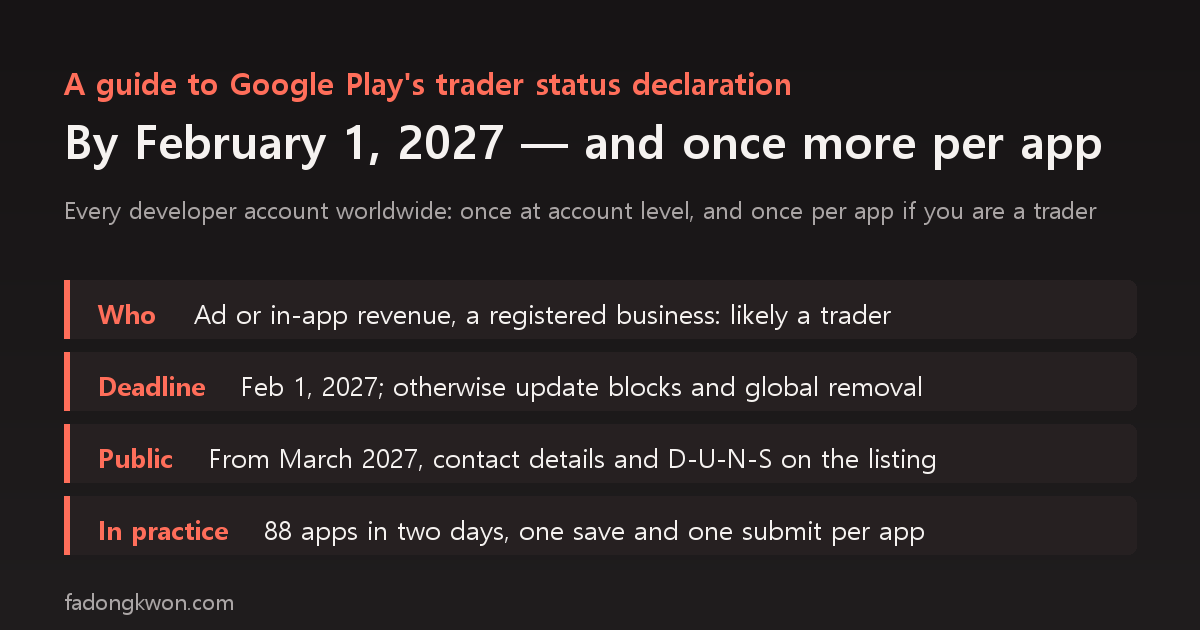
Google Play now requires every developer account worldwide to declare whether it is a trader or a non-trader. The deadline is February 1, 2027, and missing it can mean blocked app updates or removal from Google Play globally. If you declare as a trader, you must also declare again for every app and submit each for review. This post covers who counts as a trader, what becomes public on the store from March 2027, where to do it in Play Console, and the pre-review check error I hit while finishing 88 apps in two days, plus the workaround
한국어로 읽기 Google Play 판매자(trader) 상태 선언 가이드 — 2027년 2월 1일 기한, 계정 한 번과 앱마다 한 번, 앱 88개를 이틀에 끝낸 순서
In early November I took care of the trader status declaration in Google Play Console. At first I assumed it was a single choice in account settings, but once I declared as a trader, a new item appeared asking me to make the same declaration for each app. My account has 88 apps, so that meant 88 saves and 88 review submissions.
This post is a guide based on that process. The policy details follow the trader status declaration page in the Google Play Console Help Center (checked on November 8, 2026), and the console paths are the ones I actually clicked.
This post is not legal advice. Whether you are a trader is your own call, and Google itself says it “cannot evaluate your business activities or provide legal determinations of your trader status.”
In one table
| Item | Details |
|---|---|
| Who | Every active developer account, regardless of where apps are distributed |
| Basis | Consumer protection laws of the European Economic Area (EEA) and the United Kingdom |
| Deadline | February 1, 2027 for existing accounts; immediately for new accounts |
| If you don’t | App update blocks and possible removal from Google Play globally |
| Unit | Once at account level, plus once per app if you are a trader |
| Public display | Trader information shown on the store from March 1, 2027 |
Trader or non-trader?
The help page defines a trader as “any natural or legal person acting for purposes relating to their trade, business, craft or profession.” A non-commercial app made as a personal hobby is unlikely to make you a trader.
It lists four criteria, noting the list is not exhaustive.
- Profit-seeking motive: you receive or intend to receive remuneration for your apps on a regular or commercial basis, for example paid apps, in-app purchases or ad-sponsored apps
- Transaction volume: a high or consistent number, amount or frequency of transactions
- Business setup: you manage app development and publishing as a business
- Legal status: you have a legal status, such as a D-U-N-S number, that enables commercial activity
The explicit mention of ads matters. Even a free app counts as profit-seeking if it earns ad revenue. In my case, I earn ad revenue and run a registered sole proprietorship, so I declared as a trader.
The page also says that if you don’t distribute apps in the EEA or the UK, you can declare as a non-trader. However, non-trader declarations lead Google to tell users in those regions that consumer-protection rights do not apply to contracts with you, and falsely declaring non-trader status when you are a trader can lead to account suspension or termination.
What becomes public from March 2027
If you declare as a trader, the following appears on your store listing from March 1, 2027.
| Who sees it | What is shown |
|---|---|
| Users in all regions | Contact details (for individual-account traders, a phone number and address), your D-U-N-S number, and a Terms of Service link if you provided one |
| Users in the EEA and UK | Your developer name instead of “Google” in the “Offered by” field, and a self-certification that you comply with local laws |
In other words, declaring as a trader on a personal account can make your home address and phone number public. If you are an individual developer, it is worth arranging a business address (a shared or virtual office, for example) before you declare. My account is an organization account, so the personal phone verification step did not apply, and I had already moved my business address to a virtual office.
The steps in Play Console
Step 1: Account level
Go to Manage account > Account details > About you, find trader status, and choose trader or non-trader. If you choose trader, the D-U-N-S number and contact details you already verified are used. This is separate from developer identity verification, so you do not redo the D-U-N-S verification.
Step 2: App level (traders only)
Once your account is declared as a trader, each app gets a trader status item under Monitor and improve > Policy and programs > App content. Choose the option confirming that trader status applies to this app, and save. The Terms of Service link is optional, and I left it empty.
Step 3: Submit each app for review
Saving is not the end. The publishing overview then shows one change waiting to be sent for review, and it only takes effect once you submit it. That is one save and one submission per app.
How I did 88 apps in two days
I did the account level on November 4 and the 88 app-level declarations over November 5 and 6. Two things saved time.
- Direct URLs: each app’s trader status screen and publishing overview can be opened directly by URL, so there is no need to dig through the app list one by one. By contrast, opening the app list, policy status or account details URLs directly bounced me back to the home page.
- A tracking table: I kept a table with one row per app (package name, console app ID, status, note) and filled it in as each app was done. At around 88 apps, memory alone cannot keep track of where you are.
As of November 6, the console home showed 15 apps in review and the rest published.
One app blocked by the pre-review check
For one app (Number Rush), pressing submit triggered a pre-review check that said it “could not resolve the DNS of the privacy policy page.” It failed on the privacy policy item, which has nothing to do with trader status.
The strange part was that the URL was exactly the same as for the other 87 apps. Opening it directly returned a normal response, and DNS was fine. Assuming Google had an old check result cached, I re-saved the privacy policy URL with a query appended, such as ?app=number-rush. With the URL changed, the check ran fresh, and I submitted both changes (privacy policy and trader status) together, which passed.
There is also something not to do. One way to dodge the DNS error is to switch to a redirecting www URL, but for another app that approach was rejected at human review as “not a valid privacy policy page” (launch incident postmortems). Appending a query to the canonical URL was the safer route.
When publishing a new app
Every new app now has one more item among its app content declarations. I added it to the Play registration section of my launch checklist, so new apps handle it along with the other declarations and include it in their first submission (creating fifteen apps in one day).
Summary
- Every developer account is covered, and the deadline is February 1, 2027. Missing it can lead to blocked updates or removal.
- If you earn ad revenue or run your apps as a business, you are probably on the trader side. The call is yours.
- Traders declare once for the account plus once per app, and each app must be submitted for review to finish.
- Contact details become public from March 2027, so individual developers should prepare an address and phone number they are comfortable publishing.
- If the pre-review check blocks a perfectly working privacy policy URL, try appending a query to the canonical URL to force a recheck instead of switching to a redirect.
The apps are listed under GAMES and APPS, and some can be played right in the browser. Updates go out on this blog and on Instagram (@fadongkwon.soft) (opens in a new tab).
The policy details follow the Google Play Console Help Center’s “trader status declaration” page as checked on November 8, 2026, and the console paths and cases come from what I processed on my own account on November 4 to 6, 2026. Policies and screens can change, so check the latest guidance first.