Why We Added Firebase Analytics Without AAID—and Excluded Every Kids App
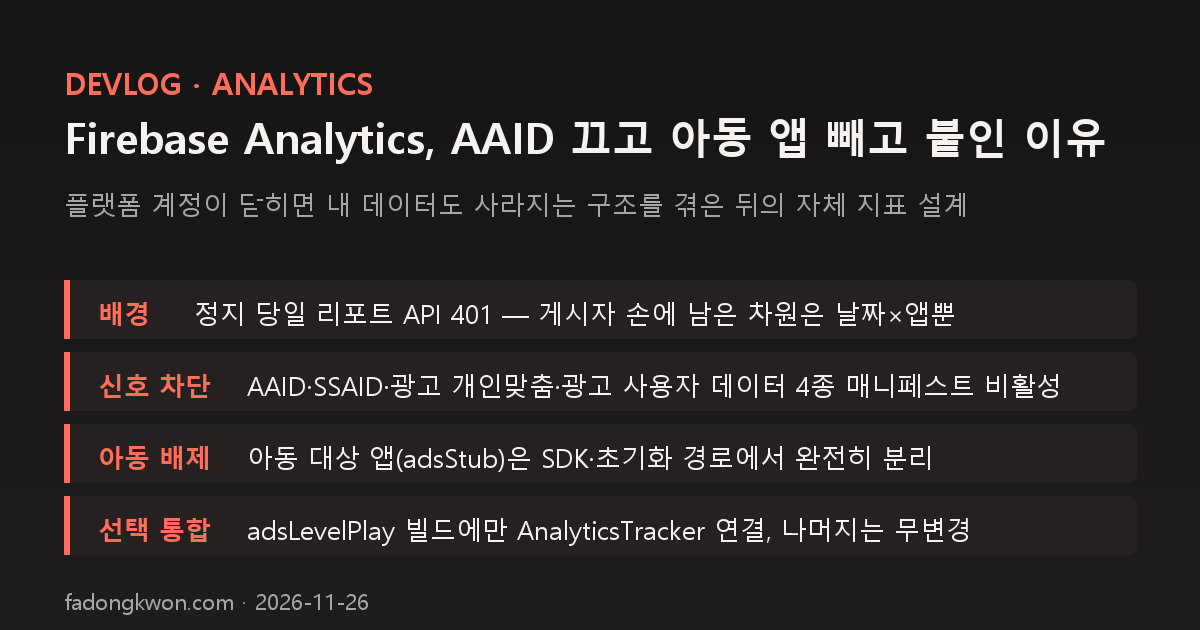
When AdMob suspended our account, its reporting API returned 401 the same day, leaving us blind to our own traffic. To avoid repeating that, we integrated Firebase Analytics selectively into LevelPlay builds while disabling AAID/SSAID and excluding kids apps completely.
한국어로 읽기 광고만 바꾸지 않았다: Firebase Analytics를 AAID 끄고 아동 앱 빼고 붙인 이유
The most frustrating part of our November 18 AdMob suspension—documented in the appeal rejection post—was realizing that the publisher bears full responsibility for traffic anomalies while losing access to the data needed to diagnose them. The moment the account closed, the AdMob API returned 401 and detailed console breakdowns disappeared.
While migrating to Unity LevelPlay, we decided not to rely solely on an ad network’s dashboard again. On November 23, we added opt-in Firebase Analytics to our Android wrapper—with strict guardrails on privacy and kids apps.
1. Three Rules Up Front
- Zero SDK in kids apps: Family/kids flavors (
adsStubsuch as the Monsters series and Korean History Quiz) never pull in Firebase dependencies or execute any analytics initialization. - Disable ad identifiers and personalization: We need anomaly detection (which app, which screen, which version spiked), not user profiling or ad retargeting.
- Flavor-scoped activation: Only
adsLevelPlayflavors compile the realAnalyticsTracker.kt. Every other flavor compiles a 14-line no-op stub.
2. Turning Off Four Signals in AndroidManifest
In both src/adsLevelPlay/AndroidManifest.xml and src/adsLevelPlayLandscape/AndroidManifest.xml, we explicitly disabled four signals:
1
2
3
4
5
6
7
8
9
10
11
12
<meta-data
    android:name="google_analytics_adid_collection_enabled"
    android:value="false" />
<meta-data
    android:name="google_analytics_ssaid_collection_enabled"
    android:value="false" />
<meta-data
    android:name="google_analytics_default_allow_ad_personalization_signals"
    android:value="false" />
<meta-data
    android:name="google_analytics_default_allow_ad_user_data"
    android:value="false" />
Disabling AAID, SSAID, ad personalization signals, and ad user data keeps the boundary clean in both code and Play Data Safety disclosures: telemetry is strictly for app diagnostics and aggregate event counts.
3. Clean Source-Set Isolation
src/adsLevelPlay/.../AnalyticsTracker.kt(82 lines) wraps Firebase event logging.- The default source set provides a 14-line no-op
AnalyticsTracker.kt. MainActivity.ktandAdManager.ktcall only the thin wrapper, keeping core app code decoupled from Firebase.google-services.jsonis gitignored and wired selectively per flavor inbuild.gradle.kts.
4. Rollout So Far
Between November 23 and 25, we rolled this LevelPlay + Firebase Analytics bundle into:
- The 2 pilot apps (
breakout,gonu) - The 6 newly approved Play apps from November 24
- 20 existing live apps across two rollout batches (including static quiz flavors)
- 4 upcoming health/weekend apps registered and wired ahead of submission
Having our own lightweight black box means that even if an ad network dashboard ever goes dark, we will still see our own traffic patterns first.