Apps in Toss Functional Push — Three Weeks of Mistakes, Written Down
Everything that went wrong while adding free scheduled push (smart messages) to Apps in Toss mini apps. How consent forms relate to templates, the AI-review wording rules, and the biggest mistake of all — the app never asked anyone for consent
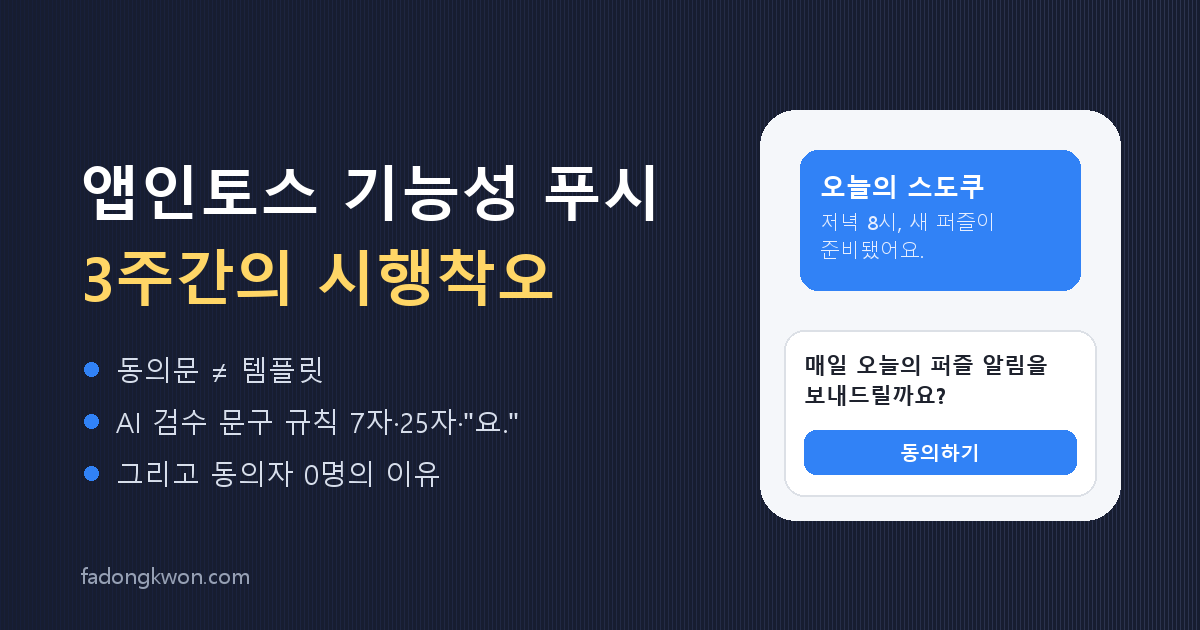
Apps in Toss mini apps get a functional scheduled push that needs no server of your own. Toss sends “Tonight at 8, your new puzzle is ready” on your behalf, and because it is functional rather than promotional, it is free. There is no cheaper way to bring players back, so I have been wiring it into every app since mid-August, and I fell over quite a few times in three weeks. Today I fixed what I believe is the last of it, so here is everything I wish I had known on day one.
The apps involved range from party apps like Juice Spinner and Spin the Bottle to 18 mini games such as Sudoku and Tap Bird.
Structure first: consent forms and templates are different things
A scheduled push in the console needs two objects.
- A notification consent form: the terms text, “Shall we send you today’s Sudoku every evening at 8?” A user has to agree to this inside the app to become a recipient.
- A template (send group): the actual message. It has a title, body, landing link, weekdays and time, and it points at one consent form whose agreed users it will target.
You do not pick a segment separately. The consent form is the segment. That gives away the conclusion of this post: no matter how nicely you build the form and the template, if the app never asks the user, the audience is zero.
Round one (August): bumping into console rules
This was while adding a “Mon–Sat 8 PM” meetup reminder to Juice Spinner.
- You cannot create two consent forms with the same weekday and time. After a trial run created a Friday-20:00 form, changing it to Mon–Sat was refused as “too similar to an existing form’s send timing.” I had to create a new one with a different weekday set, and the first form became an orphan no app references. Harmless, but undeletable.
- Approved templates can be neither edited nor cancelled. “Approved messages cannot be modified.” To change the time you create a new template and disable the old one in the console web UI.
- Send codes cannot be reused, and they must start with the app name. Anything not prefixed like
juice-spinner-is rejected. This code matters again later. - The AI review is non-deterministic. The same wording passed for app A and was rejected for app B for an “imperative ending.” Read the reason, nudge the wording, resubmit, and it usually passes. The identical payload has even passed on a plain retry, so one rejection is not a reason to redesign anything.
- Scheduled templates do not show up in the default list. You have to filter for smart messages of the functional type. I spent a while wondering whether what I had created had vanished.
Round two (early September): memorising the wording rules
Adding an “every evening at 8” reminder to six mini games at once is what hardened the input rules.
- Title 7 characters or fewer, may not end with a period.
- Body 25 characters or fewer, must end with the polite “-yo.” ending, no line breaks, exclamation marks, tildes or emoji.
- The group code and the template code inside it must be identical. Different means “enter the same value”; empty means “enter a send code.”
- The consent form’s timing text must state the time. “When today’s puzzle is ready” alone was rejected as “send time not stated in the consent form”; “Every evening at 8, when today’s puzzle is ready” passed.
- The first send time must be in the future, and approval itself schedules the send. Do not go looking for a separate “send” button.
After that, all six templates were approved and their status flipped to “sent” each evening, and I assumed I was done.
Round three, the big one (today): sent, but nobody received it
While repeating the work for ten new games awaiting launch, I finally checked one number. The previous six had shown “sent” at 20:00 every day, but how many users had actually agreed? Zero.
The reason was simple. There was no code anywhere in the games that opened the consent sheet. Juice Spinner and Spin the Bottle had called the SDK’s consent-request function from the start, but the mini games built afterwards copied a shared bridge that lacked that part, and I had only watched the templates get approved in the console. The console says “sent” even when the audience is zero.
The fix:
- One
createPushConsent()in the shared package. A game callsnoteRun()once where a round ends. - Inside, the sheet appears only after three rounds in the session and three minutes elapsed, and once per device. Opening a sheet the moment the app launches gets rejected in review (it has happened), so only people who have played a while are asked.
- Which form to ask about is specified by the console template’s group code, which is why I said the send code would matter again. That code lives in a small JSON file in the wrapper, so game code never needs to know its own app name.
- Outside Toss (Google Play, plain web) or when the bridge does not support consent requests, it does nothing.
I rolled it into all 18 games and re-uploaded the bundles. The eight live apps are in review; the ten new ones ship with it in their first bundle.
What you can prepare before an app is even approved
Checked while preparing the ten new titles.
- Consent forms can be created before app review. All ten were created while the app information was still under review.
- Templates require the app to be live (OPEN). So fix the template code first, put it in the app, and create the template with the same code after launch.
- Promotional smart sends (segment campaigns) have no API and are console-web only. Also a post-launch task.
Checklist
Next time, this order finishes it in one pass.
- Create the consent form: fixed weekday and time, state the time in the timing text. Fine to do before app review.
- Decide the template code up front,
appname-purpose_timestyle, and put it in the app (wrapper JSON) first. - Add the consent hook to the game: call at round end, gate on 3 rounds + 3 minutes, once per device.
- After the app is live, create the template: title ≤7, body ≤25 ending in “-yo.”, group code = template code = the code from step 2.
- If rejected, change only the wording per the reason and retry. Approval is the schedule.
- A few days later, check the number of consenters. “Sent” appears even with an audience of zero.
The finish line was not the approval badge in the console. It was the consent sheet appearing on a user’s phone. That one sentence took three weeks.